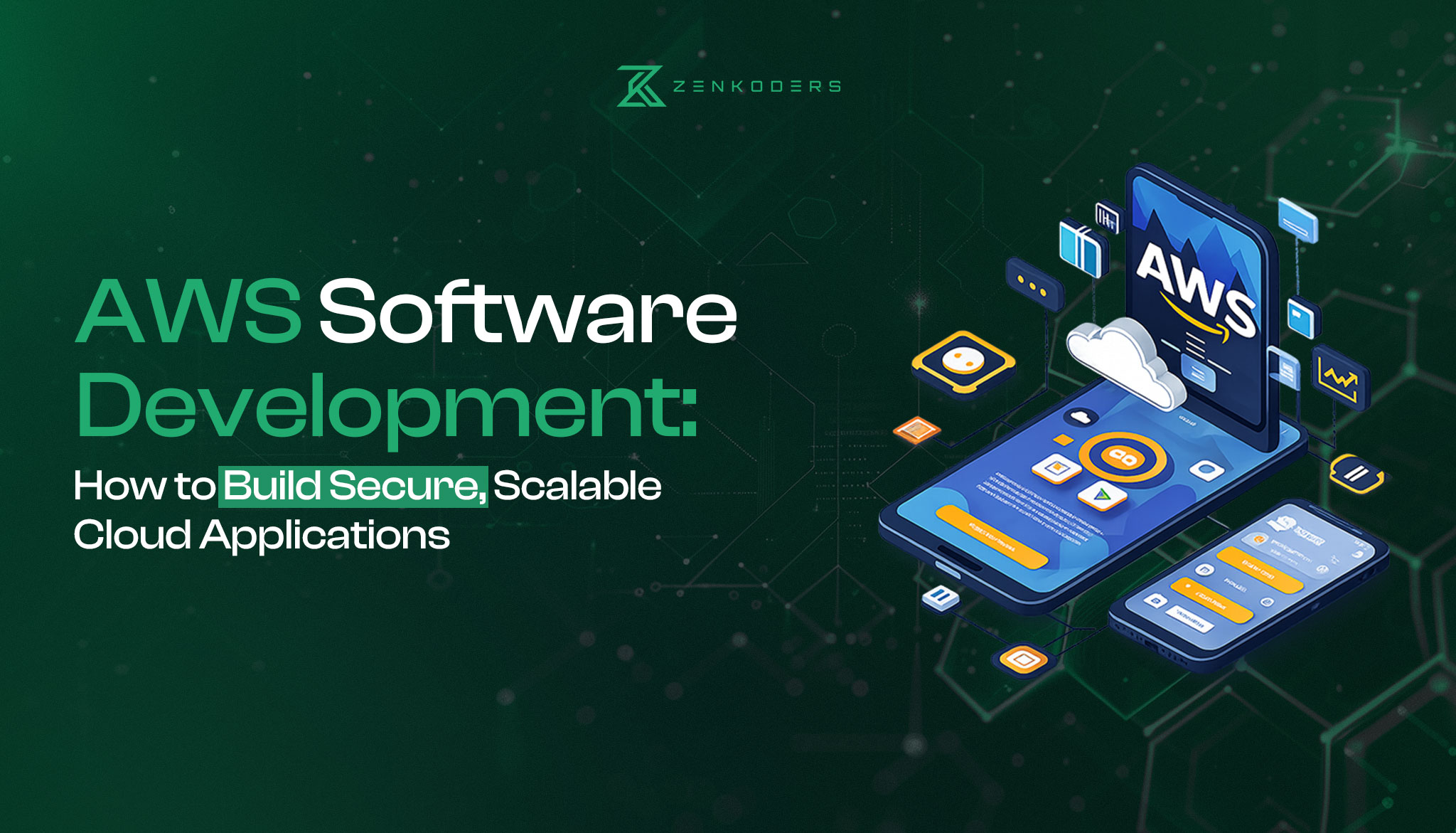

AWS gives development teams hundreds of ways to run an application. That flexibility is useful, but it also creates a practical problem: teams can choose an architecture that is more expensive, complicated, or difficult to maintain than the product actually needs.
Effective AWS software development starts with the application’s requirements—not a list of cloud services. Expected traffic, security obligations, release frequency, data model, integration needs, internal expertise, and budget should determine the architecture.
This guide explains how software development on AWS works, how common AWS services fit together, and how to choose between serverless functions, containers, and virtual machines. It also covers development workflow, security, cost control, scalability, and the trade-offs decision-makers should assess before committing to AWS.
What is AWS software development?
AWS software development is the process of designing, building, deploying, and operating an application using Amazon Web Services infrastructure and managed cloud services. It may include computing, databases, storage, networking, identity management, monitoring, deployment automation, analytics, or artificial intelligence.
AWS does not replace product strategy, application code, interface design, testing, or operational ownership. It provides the environment and managed capabilities that support those activities.
A development team might use AWS to:
- Host a web or mobile application backend
- Run APIs and background jobs
- Store files and application data
- Process event streams
- Deploy machine-learning or generative-AI features
- Connect an application to enterprise systems
- Operate software across multiple regions
- Automate testing and deployment
The best architecture is usually not the one using the largest number of services. It is the smallest architecture that meets the product’s reliability, security, performance, and growth requirements without creating unnecessary operational work.
Organizations planning a tailored product can connect these decisions to a broader custom software development process before selecting infrastructure.
Planning an AWS application?
Zenkoders can help you turn product requirements into a practical development plan covering architecture, integrations, security, deployment, and long-term maintenance.
What can you build on AWS?
AWS can support small internal tools as well as high-volume distributed platforms. Common product categories include:
Web and SaaS applications
AWS can host browser-based products, subscription platforms, customer portals, dashboards, marketplaces, and business-management systems.
A typical web application may use a content-delivery network for frontend assets, an API layer for requests, a compute service for application logic, and a managed database for persistent data.
Teams considering this type of product can also review Zenkoders’ custom web application development services.
Mobile application backends
A mobile app still needs server-side capabilities for authentication, user profiles, notifications, payments, synchronization, file uploads, and business logic. AWS can provide these capabilities without hosting the mobile interface itself.
The mobile application runs on the user’s device. AWS normally supports the APIs, data, workflows, and operational systems behind it.
Internal business systems
AWS can support inventory tools, scheduling systems, reporting platforms, workflow automation, document processing, and integrations between existing business applications.
Internal tools still require careful access control. A system with only 50 employees may hold more sensitive operational data than a public consumer app with thousands of users.
Data and AI applications
Teams can use AWS for data pipelines, analytics, search, model inference, document processing, recommendation systems, and generative-AI features.
AI functionality should not be added only because the platform supports it. Product teams still need a defined user problem, acceptable model accuracy, evaluation criteria, privacy controls, and a plan for handling incorrect outputs.
Zenkoders’ AI development services provide additional context for organizations evaluating custom AI functionality.
How an AWS application architecture fits together
Most AWS applications contain several layers. The exact services differ, but the responsibilities remain broadly consistent.
|
Architecture layer |
Responsibility |
Common AWS options |
|
User delivery |
Deliver web pages, assets, and media |
Amazon S3, Amazon CloudFront |
|
API entry point |
Receive and route application requests |
Amazon API Gateway, Application Load Balancer |
|
Compute |
Run business logic and background work |
AWS Lambda, Amazon ECS, Amazon EKS, Amazon EC2 |
|
Data storage |
Store relational, document, key-value, or cached data |
Amazon RDS, Amazon Aurora, Amazon DynamoDB, Amazon ElastiCache |
|
File storage |
Store uploads, exports, backups, and media |
Amazon S3 |
|
Messaging |
Decouple workloads and process jobs asynchronously |
Amazon SQS, Amazon SNS, Amazon EventBridge |
|
Identity and access |
Control user and service permissions |
AWS IAM, Amazon Cognito |
|
Monitoring |
Collect metrics, logs, traces, and alarms |
Amazon CloudWatch, AWS X-Ray |
|
Infrastructure management |
Define and deploy cloud resources through code |
AWS CloudFormation, AWS CDK |
|
Secrets |
Store credentials and sensitive configuration |
AWS Secrets Manager, AWS Systems Manager Parameter Store |
A practical architecture does not need every layer on day one. For example, an early-stage application may use a managed database and a single compute service. Queues, caches, search services, and multi-region deployment should be introduced only when a requirement justifies them.
Choosing between serverless, containers, and virtual machines
Compute is one of the most important AWS architecture decisions. Three common models are serverless functions, containers, and virtual machines.
|
Model |
Good fit |
Advantages |
Limitations |
|
AWS Lambda |
Event-driven APIs, scheduled jobs, file processing, irregular workloads |
No server management, automatic scaling, granular billing |
Runtime limits, cold-start considerations, more distributed debugging |
|
Containers on ECS or EKS |
APIs, workers, microservices, portable services, consistent runtime requirements |
Deployment consistency, runtime control, portability |
Requires container operations; Kubernetes adds substantial complexity |
|
Amazon EC2 |
Legacy software, specialized operating-system needs, long-running workloads, full host control |
Maximum infrastructure control |
Patching, scaling, hardening, and capacity management remain team responsibilities |
Choose serverless when operational simplicity matters
Serverless architecture works well for independent functions, asynchronous events, and traffic that changes significantly over time. AWS manages the underlying servers, but the development team still owns application security, permissions, monitoring, failure handling, and cost controls.
Serverless does not automatically make an application simple. A system divided into too many functions can become difficult to trace, test, and reason about.
Choose containers when the application needs runtime consistency
Containers package an application and its dependencies into a repeatable unit. They are useful when teams need more control than a function runtime provides or want to move services between environments more consistently.
Amazon ECS offers AWS-native container orchestration. Amazon EKS provides managed Kubernetes. EKS may make sense where Kubernetes is already an organizational standard, but it is rarely the simplest choice for a small team without Kubernetes expertise.
For additional container background, see Zenkoders’ guide to Docker and containerized software development.
Choose EC2 when the workload requires host-level control
Virtual machines remain suitable for legacy applications, specialized software, unusual networking requirements, or workloads that cannot be easily adapted to managed services.
EC2 gives the team more freedom, but that freedom comes with responsibility for operating-system updates, capacity planning, hardening, and recovery processes.
Core AWS services used in application development
Service selection should follow application responsibilities.
Compute and application execution
- AWS Lambda runs event-driven functions.
- Amazon ECS deploys and coordinates containers.
- Amazon EKS provides managed Kubernetes.
- Amazon EC2 provides virtual machines.
- AWS Fargate runs containers without requiring teams to manage EC2 worker nodes.
Databases and caching
- Amazon RDS supports managed relational databases.
- Amazon Aurora is an AWS-managed relational database compatible with MySQL and PostgreSQL.
- Amazon DynamoDB is a managed key-value and document database.
- Amazon ElastiCache supports managed caching.
Database selection should start with access patterns and consistency requirements. A relational database is often a sensible default for transactional applications with connected data. DynamoDB can be effective at high scale, but it rewards careful data-model design around known queries.
APIs and integrations
- Amazon API Gateway exposes HTTP, REST, or WebSocket interfaces.
- Application Load Balancer routes traffic to services and containers.
- Amazon SQS holds messages for asynchronous processing.
- Amazon SNS distributes notifications.
- Amazon EventBridge routes events between application components and services.
APIs create the contracts between frontend, backend, mobile, and third-party systems. Zenkoders’ explanation of what an API is and how software integrations work provides a non-specialist introduction.
Storage and content delivery
- Amazon S3 stores objects such as images, documents, exports, and backups.
- Amazon CloudFront caches and delivers content closer to users.
- Amazon EFS provides managed shared file storage for compatible workloads.
Deployment and infrastructure automation
Infrastructure should be reproducible. Manually configuring production resources through a console makes environments harder to audit, rebuild, and review.
AWS CloudFormation and the AWS Cloud Development Kit allow teams to define infrastructure as code. A development pipeline can then test application changes, scan artifacts, deploy infrastructure, release code, and verify the deployment.
A practical AWS software development process
A production application requires more than provisioning a server. The following process keeps cloud decisions tied to product requirements.
1. Define the product and operational requirements
Document:
- Core user journeys
- Expected traffic and growth assumptions
- Data sensitivity
- Availability expectations
- Geographic requirements
- Required integrations
- Recovery objectives
- Internal technical skills
- Budget boundaries
Avoid using “must scale” as an undefined requirement. Estimate likely traffic ranges and identify which operations are most resource-intensive.
For a wider view of product-specific planning, see Zenkoders’ guide to custom software development.
2. Choose the simplest suitable architecture
Select a compute model, data model, storage approach, API pattern, and deployment strategy.
A modular monolith can be a better starting point than microservices. It preserves clear module boundaries without forcing the team to operate dozens of distributed services. Microservices become more valuable when independent deployment, scaling, ownership, or fault isolation creates a measurable benefit.
3. Design identity, permissions, and network boundaries
Define:
- Human administrator access
- Application service roles
- User authentication
- Secrets management
- Public and private network access
- Encryption requirements
- Audit logging
- Environment separation
Apply least-privilege access: each person or workload should receive only the permissions necessary for its current responsibility.
4. Define infrastructure as code
Create repeatable definitions for development, test, staging, and production resources. Keep infrastructure changes under version control and subject them to peer review.
Environment definitions should be consistent without being identical. Production may require stronger backup, redundancy, logging, and access controls than a developer environment.
5. Build automated delivery controls
A useful delivery pipeline may include:
- Code formatting and static analysis
- Automated unit tests
- Dependency and vulnerability checks
- Application build
- Infrastructure validation
- Deployment to a test environment
- Integration or end-to-end tests
- Controlled production release
- Post-deployment verification
- Rollback or roll-forward procedures
Automation does not remove the need for review. It makes repeatable checks easier to enforce.
6. Test failure behavior, not only features
A feature can work correctly while the system remains operationally fragile.
Test scenarios such as:
- Database connection failure
- Duplicate queue messages
- Slow third-party APIs
- Expired credentials
- Partial deployment failure
- Sudden traffic growth
- Regional service interruption
- Failed background jobs
- Backup restoration
7. Monitor, review, and optimize after launch
Define service-level indicators such as latency, error rate, request volume, queue age, failed jobs, and resource saturation.
Set alerts around symptoms that affect users rather than every infrastructure fluctuation. Review cost and architecture regularly as usage patterns become clearer.
Build a cloud application around real product requirements
Zenkoders provides custom software and web application development services for teams that need a secure, maintainable, and scalable product not unnecessary infrastructure complexity.
Security, reliability, and compliance considerations
AWS uses a shared-responsibility model. AWS secures the underlying cloud infrastructure, while customers remain responsible for areas such as data, identities, configurations, permissions, and application code. The boundary varies by service.
A practical security baseline should include:
- Multi-factor authentication for privileged users
- Centralized identity management
- Least-privilege IAM policies
- Separate production and non-production environments
- Encryption in transit and at rest where appropriate
- Managed secrets rather than credentials in source code
- Dependency and container-image scanning
- Audit logs
- Backup and restore testing
- Incident-response procedures
- Defined retention and deletion policies
The AWS Well-Architected Framework organizes architecture reviews around operational excellence, security, reliability, performance efficiency, cost optimization, and sustainability.
Compliance requires more than selecting an eligible AWS service. Healthcare, financial, government, and privacy-sensitive applications may require contractual controls, risk assessments, data-location decisions, formal policies, and specialist legal or cybersecurity review.
What affects AWS application cost?
There is no useful universal price for “an AWS application.” Cost depends on architecture and usage.
Major cost drivers include:
- Compute duration and capacity
- Database size and throughput
- Data transfer
- Storage volume and retrieval patterns
- Logging volume and retention
- Load balancers, gateways, and networking components
- Backup and disaster-recovery strategy
- Number of environments
- Third-party monitoring or security tools
- Engineering and operational labor
A serverless architecture can be inexpensive at low or irregular traffic, but inefficient code, excessive requests, or high data transfer can still create substantial bills. Reserved or committed pricing may reduce certain predictable infrastructure costs, but it also introduces commitment risk.
Useful cost controls include:
- Account-level budgets and alerts
- Resource tagging
- Environment shutdown schedules
- Log-retention policies
- Storage lifecycle rules
- Capacity reviews
- Detection of unused resources
- Per-feature or per-customer cost analysis
- Architecture reviews before major scale events
Development cost and cloud operating cost should be evaluated separately. A cheaper-to-run architecture may take longer to build, while an initially simple design may require later optimization.
Example: a SaaS application architecture on AWS
Consider a business-to-business SaaS platform with a browser interface, user accounts, subscriptions, reporting, file uploads, and background data processing.
A sensible starting architecture could use:
- Amazon CloudFront and S3 to deliver frontend assets
- Amazon API Gateway to receive API requests
- AWS Lambda or ECS on Fargate for business logic
- Amazon Aurora PostgreSQL for transactional data
- Amazon S3 for user-uploaded documents and generated exports
- Amazon SQS for report generation and other asynchronous work
- Amazon Cognito or an external identity provider for authentication
- AWS Secrets Manager for sensitive configuration
- Amazon CloudWatch for logs, metrics, and alarms
- AWS CDK or CloudFormation for infrastructure definitions
This is only an example. A high-volume analytics product, healthcare platform, real-time collaboration tool, or legacy modernization project would require different choices.
The architecture should also account for tenant isolation, database migration, rate limiting, audit trails, payment-provider failures, backup restoration, and user-data deletion.
Adding AI capabilities to an AWS application?
Zenkoders can help assess the use case, data requirements, integrations, and software architecture before development begins.
Benefits and limitations of AWS software development
Potential benefits
Managed infrastructure: Teams can delegate some database, scaling, backup, and infrastructure operations to AWS.
Broad service coverage: AWS supports common web, mobile, data, AI, integration, and infrastructure requirements.
Elastic capacity: Many services can scale with workload demand when configured appropriately.
Automation: Infrastructure and deployments can be defined, reviewed, and repeated through code.
Global infrastructure: Applications can be deployed closer to users or across regions when business and regulatory requirements justify it.
Limitations and risks
Service complexity: The number of overlapping services can make architecture selection difficult.
Cost unpredictability: Usage-based pricing requires monitoring and governance.
Vendor dependence: Deep use of proprietary services can increase migration effort.
Operational skill requirements: Managed services reduce some work, but production ownership still requires cloud, security, deployment, and incident-response knowledge.
Distributed-system failure modes: Event-driven and microservice architectures introduce retries, duplicate messages, partial failures, tracing challenges, and eventual-consistency concerns.
Unnecessary architecture: Teams can overengineer an early product for scale it may never need.
When AWS may not be the best choice
AWS may be excessive when:
- A small static site can run on a simpler managed hosting platform
- A standard SaaS product already solves the business requirement
- The team has no capacity to operate cloud infrastructure
- Workload or regulatory constraints require another environment
- Existing enterprise contracts and expertise strongly favor another cloud
- The application depends on a platform-specific capability elsewhere
- A straightforward platform-as-a-service option provides enough control
Cloud selection is an engineering and business decision, not a loyalty test.
AWS vs. Azure vs. Google Cloud
No cloud provider is universally best.
|
Decision factor |
AWS may fit when |
Azure may fit when |
Google Cloud may fit when |
|
Existing ecosystem |
The organization already uses AWS services and skills |
The organization is deeply integrated with Microsoft identity, data, and enterprise products |
The team relies heavily on Google’s data, analytics, or Kubernetes ecosystem |
|
Team capability |
Engineers have AWS delivery and operations experience |
Teams have Azure and Microsoft-platform expertise |
Teams have GCP, data-platform, or Kubernetes expertise |
|
Workload requirements |
A broad range of managed infrastructure and application patterns is needed |
Microsoft-oriented enterprise integration is central |
Data engineering, analytics, or selected cloud-native patterns are central |
|
Commercial factors |
AWS agreements and pricing suit the workload |
Microsoft licensing or enterprise agreements are advantageous |
GCP commercial terms suit the organization |
|
Portability |
Architecture can tolerate AWS-specific services |
Architecture can tolerate Azure-specific services |
Architecture can tolerate GCP-specific services |
Zenkoders also has an existing AWS versus Google Cloud comparison. That article should receive a separate accuracy and intent review before being used as a prominent supporting resource.
What to ask an AWS development partner
Before selecting an external team, ask for clear answers to the following:
- Why is AWS suitable for this product?
- Which services are necessary for the first release?
- Which architecture alternatives were rejected, and why?
- How will infrastructure be defined and reviewed?
- How are production permissions controlled?
- How will the team test backups and recovery?
- What monitoring and incident procedures are included?
- How will cloud cost be measured and controlled?
- Which parts of the design create vendor lock-in?
- Who owns the AWS accounts, repositories, credentials, and deployment pipeline?
- What documentation will be transferred?
- What happens after launch?
A credible proposal should explain trade-offs rather than presenting every managed service as an automatic benefit.
Zenkoders lists custom software, web application, mobile, AI, product, and related delivery capabilities on its software development services page. To discuss the architecture and delivery requirements for a specific application, use the Zenkoders contact page to request a project discussion. The initial conversation should establish requirements and constraints before recommending a final AWS stack.
FAQs:
Is AWS only for large companies?
No. AWS can support small products, but smaller teams should be especially careful about complexity. A simple managed architecture is usually more appropriate than a multi-region microservices platform for an early product.
Do AWS developers need a specific programming language?
No. AWS provides SDKs and tooling for several widely used languages. The right language depends on the application, team expertise, runtime, libraries, performance requirements, and maintenance plan.
Is serverless always cheaper than EC2?
No. Serverless can be cost-effective for irregular or event-driven workloads, but costs depend on request volume, execution duration, memory, data transfer, and surrounding services. Predictable long-running workloads may favor containers or virtual machines.
Can an existing application be migrated to AWS without rewriting it?
Sometimes. A lift-and-shift migration may move an application with limited code changes, but it may preserve existing operational and architectural weaknesses. Other applications benefit from selective modernization rather than a complete rewrite.
How long does AWS application development take?
The timeline depends on product scope, architecture, integrations, security requirements, data migration, testing, and team size. A narrow proof of concept may take weeks; a production platform can require several months or longer. Infrastructure setup is only one part of the delivery effort.
Does using AWS make an application secure?
No. AWS provides security capabilities and secures its underlying infrastructure, but the customer remains responsible for application code, data handling, permissions, configuration, identities, and many service-level controls.
How can a team reduce AWS vendor lock-in?
Use standard protocols and portable technologies where they provide a real benefit, isolate cloud-specific integrations behind clear interfaces, maintain export procedures for critical data, and document the cost of migrating each major dependency. Total portability is rarely free, so prioritize the components with meaningful business risk.