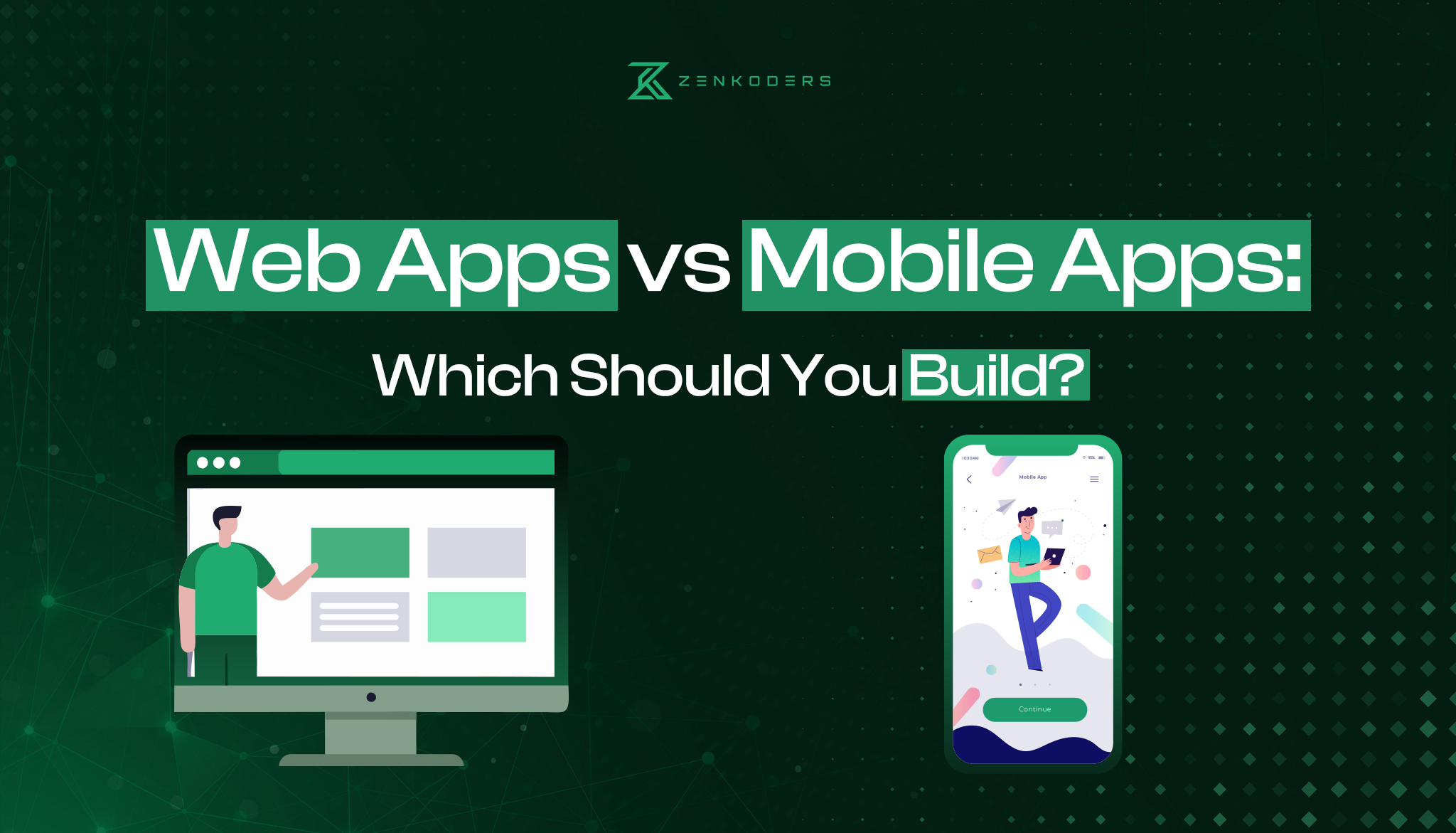

Choosing between a web app and a mobile app is not simply a design decision. It affects how people discover your product, what the product can do on their devices, how releases are managed, and how much ongoing testing and maintenance your team must support.
A web app is often the stronger first choice when broad access, link sharing, search visibility, and rapid updates matter most. A mobile app is usually more appropriate when the product depends on frequent use, deeper device integration, background activity, or an experience designed specifically for smartphones.
There is no universal winner in the web apps vs mobile apps comparison. The right choice follows from your users’ behavior and the product’s technical requirements. This guide compares the options and gives you a practical framework for deciding what to build first.
Web app vs mobile app: the direct answer
Build a web app when users need immediate access through a link, the product must work across desktop and mobile browsers, or you need to release updates without an app-store process. Build a mobile app when the experience depends on device capabilities, regular smartphone use, background behavior, or a highly optimized mobile interface.
A progressive web app or cross-platform mobile app may reduce parts of the gap, but neither is an automatic substitute for understanding the product requirements.
What is the difference between a web app and a mobile app?
The central difference is how the software reaches the user.
A web app is delivered through a browser. A mobile app is packaged for a mobile operating system and typically installed through an app store or managed enterprise-distribution process.
That distinction influences nearly every part of the product lifecycle.
What is a web app?
A web application is interactive software accessed through a browser using a URL. Unlike a basic marketing website, a web app usually lets people complete tasks, manage data, communicate, make transactions, or work through authenticated workflows.
Common examples include:
- Customer portals
- SaaS dashboards
- Booking systems
- Online marketplaces
- Internal business tools
- Browser-based collaboration products
- Account and billing platforms
A responsive web app can adapt to phones, tablets, laptops, and desktop screens. Development teams can also turn suitable web products into progressive web apps, adding features such as installation, cached content, and selected offline behavior.
For products centered on browser access, Zenkoders offers custom web application development covering frontend and backend development, SaaS products, enterprise applications, PWAs, and interface design.
What is a mobile app?
A mobile application is software designed to run as an installed application on a smartphone or tablet. Mobile apps are commonly distributed through Apple’s App Store or Google Play, although private enterprise distribution and other approved channels may also be used.
A mobile app may be:
- Native: Built specifically for iOS or Android using the platform’s own languages, frameworks, and tools.
- Cross-platform: Built with a shared framework, such as React Native, while producing applications for multiple mobile operating systems.
- Hybrid: Built partly with web technologies and displayed inside a native application container.
Mobile apps are well suited to products that require repeated smartphone interaction, polished touch-based workflows, local data, or deeper access to device services.
Zenkoders mobile app development services cover native, cross-platform, hybrid, and progressive web applications from product planning through launch and support.
Where PWAs and cross-platform apps fit
A progressive web app, or PWA, remains a web application. It can support an app-like presentation, installation, caching, and offline behavior using browser technologies such as service workers and a web app manifest. Its available capabilities still depend on the browser, operating system, and specific device API.
A cross-platform app remains an installed mobile application. Frameworks can allow teams to share a meaningful portion of code across iOS and Android, but platform-specific configuration, testing, release management, and occasional native development are still required.
These approaches solve different problems:
- Choose a PWA when you want the reach and linkability of the web with selected installable or offline features.
- Consider a cross-platform app when you need app-store distribution and mobile capabilities on both iOS and Android but want to reduce avoidable duplication.
Zenkoders has a dedicated React Native app development service for products that fit the cross-platform model.
Share your core idea, target users, and must-have features with Zenkoders. Our product and engineering team will help you assess the technical requirements, delivery risks, and most practical platform for your first release.
Web apps vs mobile apps: side-by-side comparison
Criterion | Web app | Mobile app |
Access | Opened through a browser and URL | Installed on a mobile device |
Distribution | Search, links, email, ads, direct traffic | App stores, managed distribution, deep links |
Installation | Usually not required | Normally required |
Desktop use | Strong | Limited unless a separate desktop experience exists |
Search visibility | Public pages may be indexed | App content is less directly accessible to web search |
Device access | Varies by browser and operating system | Generally deeper and more consistent |
Offline support | Possible but must be deliberately designed | Strong options for local storage and offline workflows |
Background activity | More constrained and platform-dependent | Better suited to supported background tasks |
Updates | Deployed centrally to the server | Store submission or managed release may be required |
App-store policies | Usually not applicable | Must meet applicable store and platform policies |
Maintenance | Browser, device, backend, and responsive testing | OS versions, devices, store requirements, and backend testing |
Best fit | Broad access, desktop workflows, SaaS, portals | Frequent mobile use, device features, mobile-first workflows |
Reach, discovery and installation
A web app minimizes access friction. A user can open a link without visiting an app store or waiting for an installation. This is valuable for:
- First-time visitors
- Infrequent transactions
- Shared business workflows
- Public tools
- Products that rely on search or content discovery
- Experiences used on both desktop and mobile
An installed mobile app adds a step before first use, but it earns a persistent place on the device. App-store presence may also support discovery within a specific app category.
Do not assume that app-store listing alone will generate meaningful acquisition. Mobile distribution requires its own strategy, including store assets, reviews, paid or organic acquisition, attribution, and re-engagement.
Performance and device capabilities
A well-engineered web app can handle complex dashboards, communication, commerce, media, and business processes. It should not automatically be labeled slow or limited.
However, mobile apps generally offer more direct and predictable access to platform capabilities such as:
- Bluetooth
- Advanced camera workflows
- Motion and health sensors
- Background location, where permitted
- Secure device storage
- Platform-specific authentication
- Contact or calendar integrations
- Specialized media processing
The practical question is not “Which platform is faster?” It is “What workload must the user complete, on which devices, and under what network conditions?”
For a form, marketplace, dashboard, or collaboration workflow, a web app may perform perfectly well. For continuous sensor input, intensive on-device processing, or a sophisticated camera experience, a mobile implementation is usually more suitable.
Offline use and background activity
Offline support exists on both platforms, but “works offline” is not a single requirement.
Teams should define:
- Which screens must open without connectivity
- Which data must be stored locally
- Whether users can create or edit records offline
- How changes will synchronize
- What happens when two users change the same record
- How sensitive cached information will be protected
- How much data can reasonably be downloaded
A PWA can cache resources and support designed offline experiences. Installed mobile apps generally provide more control over local data and permitted background behavior.
Offline synchronization can become one of the most complex parts of either architecture. Treat it as a product feature with explicit rules, not a checkbox.
Updates, maintenance and quality assurance
A web team can release an update centrally, allowing users to receive the current version on their next visit. That supports rapid bug fixes and frequent product iteration.
Mobile releases introduce additional responsibilities:
- Versioned application builds
- App-store metadata
- Platform policy checks
- Review submissions
- Staged rollouts
- Compatibility with supported OS versions
- Migration of local data
- Handling users who delay updates
Apple organizes its App Review Guidelines around safety, performance, business, design, and legal requirements. Google Play also requires developers to submit applicable changes for review, and some reviews can take several days or longer in exceptional cases.
Web applications avoid app-store review, but they are not maintenance-free. Teams still need to test responsive layouts, authentication, browser compatibility, APIs, accessibility, performance, and backend changes.
Security and compliance
Neither format is automatically more secure.
A secure product needs controls appropriate to its data and threat model, including:
- Strong authentication and authorization
- Encryption in transit
- Secure management of credentials and tokens
- Minimal local storage of sensitive data
- Server-side validation
- Dependency and vulnerability management
- Logging and incident response
- Privacy and retention rules
- Secure API design
- Regular testing
Mobile apps can use platform security features, but installed code may also be inspected, reverse-engineered, or run on compromised devices. Web apps centralize more logic on servers, but they remain exposed to browser, session, API, and common web-application risks.
For regulated products, platform choice should follow a formal security, privacy, and compliance assessment. The implementation and operating controls matter more than the label “web” or “mobile.”
Cost and delivery time
A web app is often less expensive to launch across desktop and mobile because one responsive browser experience can serve several screen types. That is a useful directional principle, not a price guarantee.
A mobile product may require:
- iOS and Android support
- Device and OS testing
- App-store preparation
- Native modules
- Mobile release management
- Additional analytics and attribution setup
- Separate web pages for acquisition, support, and account management
Cross-platform development can reduce some duplicated work, but it does not eliminate mobile-specific design, QA, store operations, or native integration.
The most useful budget comparison is total cost of ownership:
- Product discovery and design
- Application development
- Backend and integration work
- Testing and accessibility
- Infrastructure and monitoring
- Store and release operations
- Security updates
- Ongoing feature development
- Customer support
- Support for a second platform later
A narrowly scoped mobile app may cost less than a complex enterprise web platform. Product scope is a stronger cost driver than the platform name alone.
Talk to Zenkoders about your users, workflows, integrations, offline requirements, and device features. You’ll leave with a clearer direction for your product—not a one-size-fits-all recommendation.
When a web app is usually the better choice
A web app is a strong option when the product needs broad, low-friction access.
Typical situations include:
- Users move between desktop and mobile devices.
- The product contains complex dashboards, tables, or administration workflows.
- People use the service occasionally rather than every day.
- Users need to share links to pages, records, listings, or reports.
- Public content and search discoverability support acquisition.
- The team needs to test an early product hypothesis quickly.
- The product serves employees, partners, or customers across varied managed devices.
- Installation would create unnecessary friction.
- Frequent releases are essential.
B2B SaaS platforms often fit this profile. A finance team managing reports, for example, may need a large desktop workspace more than a smartphone-first interface.
A web app is less suitable as the only product when essential workflows require continuous sensor access, advanced background processing, or highly specialized mobile interactions.
When a mobile app is usually the better choice
A mobile app becomes more compelling when the smartphone is central to the job being done.
Common examples include:
- Navigation and transport
- Field-service workflows
- Fitness and activity tracking
- Camera-led scanning or inspection
- Mobile wallets
- Frequent messaging
- On-device media capture or editing
- Location-dependent services
- Products requiring supported background activity
- Consumer experiences expected to live on the home screen
A mobile app can also support a more controlled touch interface and tighter integration with platform conventions.
However, a mobile-first strategy should account for acquisition friction and store operations. Users must have a clear reason to install and retain the application. Turning a basic website into an app without adding meaningful mobile value rarely justifies the added maintenance.
When a PWA or cross-platform app makes sense
Choose a PWA when:
- Link-based access remains important.
- The product already has or needs a strong web experience.
- Installation is useful but not mandatory.
- The required hardware features are supported in target browsers.
- Offline needs are limited and clearly defined.
- The team wants one browser-based product across desktop and mobile.
A PWA should be tested against the actual browser and operating-system combinations used by the audience. Do not select it based only on a generic capability list.
Consider a cross-platform mobile app when:
- App-store distribution is required.
- The experience must run on both iOS and Android.
- Most features and workflows can share a common product design.
- The team accepts that some native integration and platform-specific testing will remain.
- Delivery efficiency is more important than using every new platform feature immediately.
Cross-platform development is not always the right choice for graphics-intensive products, unusual hardware integrations, or applications heavily dependent on platform-specific behavior. A technical proof of concept can expose those constraints before the full build begins.
A seven-step framework for choosing your platform
1. Define the primary user journey
Describe the most valuable workflow in one sentence.
For example:
A warehouse employee scans a damaged package, records evidence, and submits a report from the loading area.
That journey suggests different requirements from:
A finance manager reviews monthly performance across several business units from a laptop.
Do not begin with a preferred technology. Begin with the user’s environment, frequency, and task.
2. Identify non-negotiable device capabilities
Separate essential capabilities from desirable ones.
Create a list covering:
- Camera and media
- Location
- Bluetooth or connected devices
- Notifications
- Biometrics
- File handling
- Local storage
- Background activity
- Offline data
- Desktop interaction
- Accessibility technologies
A single non-negotiable requirement can remove an option. Verify support through a prototype rather than assuming that a framework or browser API will behave consistently.
3. Evaluate acquisition and distribution
Ask how a new user will reach the product.
A web app has an advantage when users arrive through:
- Search
- Shared links
- Partner sites
- Sales outreach
- QR codes leading to a temporary interaction
A mobile app may fit better when users:
- Need the product repeatedly
- Already have a relationship with the company
- Expect an installed utility
- Benefit from mobile notifications
- Discover products through app stores
Distribution should be treated as part of the product architecture, not a marketing task added after development.
4. Decide how much offline behavior is required
Define the required offline state screen by screen.
For each workflow, decide whether the user can:
- View cached information
- Create new data
- Edit existing data
- Upload media
- Complete a payment
- Sign in
- Synchronize automatically later
Then document conflict resolution and security rules. “Full offline support” can significantly affect architecture and testing.
5. Model total ownership—not only the first release
Compare at least two years of likely ownership.
Include:
- Number of supported clients
- Backend services
- Third-party integrations
- QA environments
- Monitoring
- App-store operations
- OS and browser compatibility
- Security maintenance
- Design-system maintenance
- Support documentation
- Analytics
- Future platform expansion
A low-cost first build can become expensive if it creates duplicated systems or blocks the next phase.
6. Test the riskiest assumption
Do not build the entire product to discover whether users will install it or whether a device API performs reliably.
Test the highest-risk assumption with:
- A clickable prototype
- A technical proof of concept
- A limited pilot
- A concierge workflow
- A narrow MVP
- User interviews paired with observed tasks
Zenkoders’ article on the role of an MVP in mobile app development provides additional context for reducing early product risk.
7. Plan for the next platform without building it prematurely
A web-first launch does not prevent a future mobile app. A mobile-first launch does not eliminate the need for web-based administration, support, onboarding, or account management.
Keep shared responsibilities in appropriate backend services:
- Identity
- Business rules
- Data access
- Payments
- Notifications
- Permissions
- Audit records
This makes it easier to add another client later. Avoid building two full user experiences before the first one has proved its value.
Recommendations by product type
Product type | Likely starting point | Reason |
B2B SaaS dashboard | Web app | Desktop workflows, sharing, administration, rapid releases |
Internal operations system | Web app or PWA | Broad device access and centralized deployment |
Local marketplace | Responsive web app first | Low-friction discovery and shareable listings |
Consumer loyalty product | Depends on frequency | Web for occasional use; mobile for repeated, notification-led use |
Field inspection tool | Mobile app or carefully validated PWA | Camera, offline data, location, and on-site workflows |
Fitness tracker | Mobile app | Sensors, repeated use, and background behavior |
Online booking system | Web app | Search, links, and infrequent transactions |
Team messaging product | Mobile and web | Mobile notifications plus desktop productivity |
Content-led subscription | Web first, mobile later | Search acquisition and accessible account creation |
Delivery-driver workflow | Mobile app | Location, camera, notifications, and repeated daily use |
These are starting assumptions, not universal rules. Validate them against the actual workflow and target devices.
Mistakes to avoid
Choosing based on prestige
An app-store icon does not make a product more valuable. The platform should remove friction from the user’s task.
Treating responsive design as a mobile product strategy
A responsive layout is necessary for a modern web app, but it does not automatically create a good mobile workflow. Small screens may require different navigation, content priority, input methods, and task sequences.
Zenkoders’ UI/UX design and development services address product research, interface design, responsive behavior, and usability across web and mobile experiences.
Assuming cross-platform means no platform-specific work
Shared code reduces some duplication. It does not remove iOS and Android testing, permissions, release configuration, design differences, or native integration.
Underestimating offline synchronization
Local storage is relatively easy. Reliable synchronization, conflict resolution, retries, encryption, and user feedback are harder.
Building web and mobile simultaneously without evidence
Supporting multiple clients increases product, design, QA, analytics, and release complexity. Build both at once only when the business case genuinely requires both.
Ignoring operations after launch
Budget for monitoring, support, dependency updates, security fixes, operating-system changes, store requirements, and analytics. The launch is the beginning of product ownership.
Final decision checklist
Choose a web app first when most of these statements are true:
- Users need immediate access through a link.
- Desktop use matters.
- Public pages support acquisition.
- The product does not depend on advanced device features.
- Fast centralized releases are important.
- Installation would add unnecessary friction.
- A responsive interface can support the core workflow.
Choose a mobile app first when most of these statements are true:
- The product is used repeatedly on smartphones.
- Device capabilities are central to the experience.
- Offline creation or local data is essential.
- Supported background activity matters.
- Users gain clear value from installing the product.
- A highly optimized touch workflow is required.
- App-store or managed mobile distribution fits the audience.
Consider a PWA when web distribution remains important but installation or limited offline behavior adds value.
Consider a cross-platform mobile app when both iOS and Android are required and the product’s core workflows can be shared without compromising critical native behavior.
How Zenkoders can help
The safest platform choice usually follows a short discovery process covering users, workflows, integrations, security needs, device capabilities, and release constraints.
Zenkoders provides both custom web application development and mobile app development. You can also review its software development portfolio to assess relevant design and engineering work.
To discuss a product idea or compare feasible delivery options, contact Zenkoders with your project requirements. The useful outcome of that first discussion should be a clearer scope and platform recommendation—not a predetermined push toward web or mobile.
FAQs:
Is a web app cheaper than a mobile app?
A web app is often less expensive when one responsive product can serve desktop and mobile users, but scope determines cost. A complex enterprise web app may require more work than a narrowly defined mobile app. Compare features, integrations, security, offline behavior, testing, and ongoing support rather than relying on a generic price range.
Can a web app work offline?
Yes. A progressive web app can cache resources and provide selected offline workflows through technologies such as service workers. The team must define what data remains available, what actions users can take offline, and how changes synchronize after connectivity returns.
Can a web app send push notifications?
Web push is available in supported browsers and operating-system configurations, but behavior and implementation requirements vary. Verify support against the audience’s actual devices. A mobile app generally provides a more established route for notification-led product experiences.
Is a mobile app faster than a web app?
Not always. Performance depends on architecture, workload, network conditions, rendering, data handling, and device capabilities. Mobile apps generally offer greater control for intensive on-device or hardware-dependent tasks, while a properly engineered web app can perform well for many transactional and business workflows.
Should a startup build a web app or mobile app first?
A startup should build the platform that tests its riskiest product assumption with the least unnecessary scope. A web app often reduces access friction, while a mobile app is justified when mobile-specific behavior is part of the core value proposition.
Can the same backend support a web app and mobile app?
Yes. A well-designed API and backend can support multiple clients while centralizing identity, business rules, data, permissions, and integrations. The web and mobile interfaces still require separate design, testing, analytics, and release work.
Is a PWA the same as a mobile app?
No. A PWA is built with web technologies and delivered through a browser, although it may be installable and provide app-like behavior. A mobile app is packaged for a mobile operating system and usually distributed through an app store or managed channel.