
How We Built ZenRecap: A Chrome Extension That Records Your Screen and Generates AI Summaries Automatically

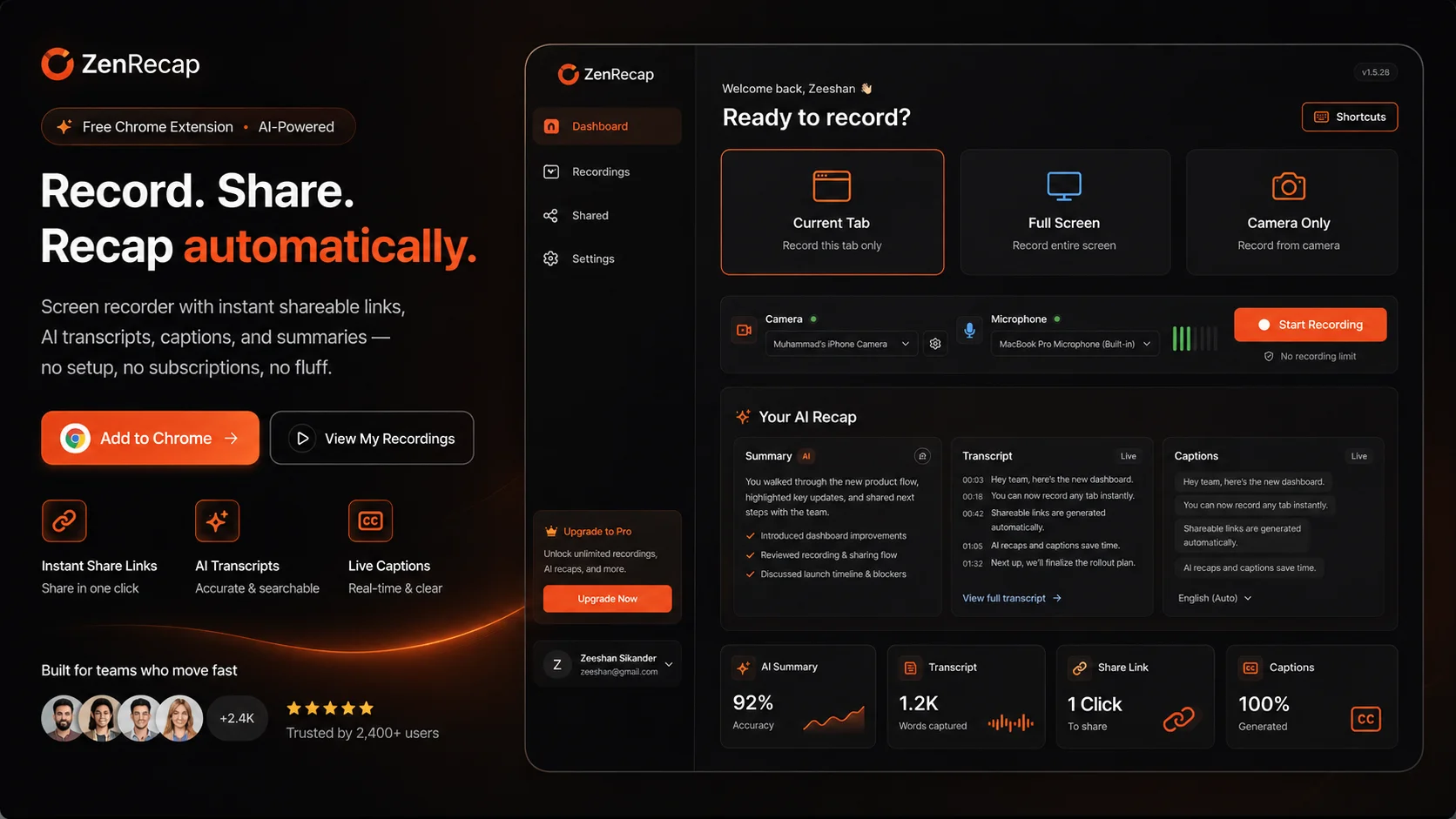
Record your screen, tab, or window. Share with one link. AI transcript, chapter markers, captions, and a summary — generated automatically after every recording. No account needed to start.

Industry:  Productivity / Developer Tools / AI SaaS

Type:  Chrome Extension + Web App

Built by:  Zenkoders (in-house product)

AIVentra screen mockup

The Problem We Were Solving

Most teams schedule a meeting when what they actually need is a two-minute video. A product manager wants to walk through a new feature. A developer wants to show a bug reproduction with audio. A designer wants to share Figma feedback. A customer success rep wants to send a personalized walkthrough. None of these need a calendar invite, a Zoom link, or seven people blocking thirty minutes of their day.


Screen recorders exist. Loom exists. But the friction is real: download an app, sign up, configure your audio, find the recorded file, upload it somewhere, copy the link, and hope the viewer watches it. And after they watch, they either take notes themselves or miss what mattered.

AIVentra screen mockup

Who Horaflow Is Built For

Any team that communicates asynchronously and wants to replace ‘let’s jump on a call’ with ‘here’s a two-minute video’ is the target user.

How ZenRecap Works

Install and Record in 30 Seconds Icon

Install and Record in 30 Seconds

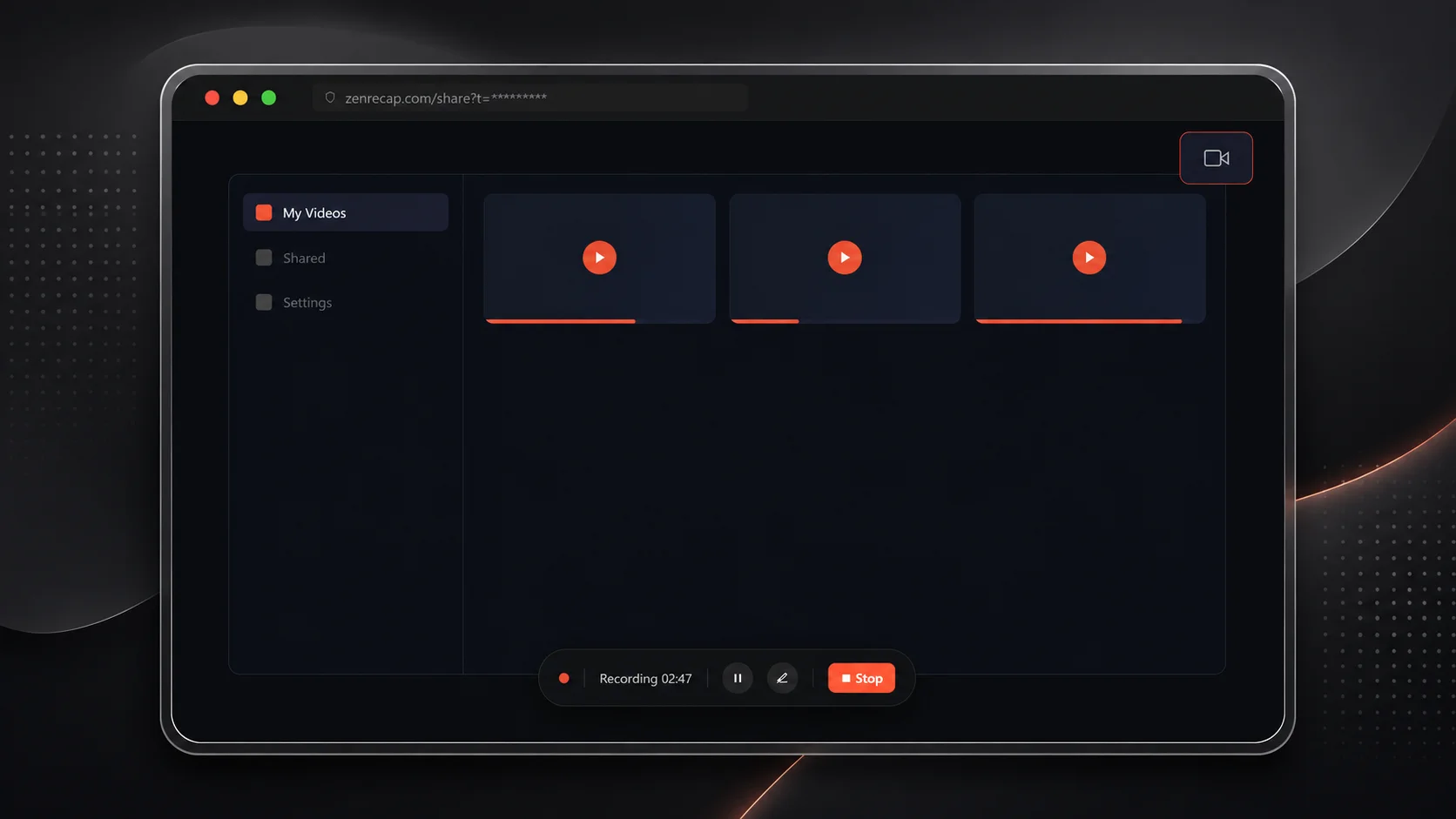
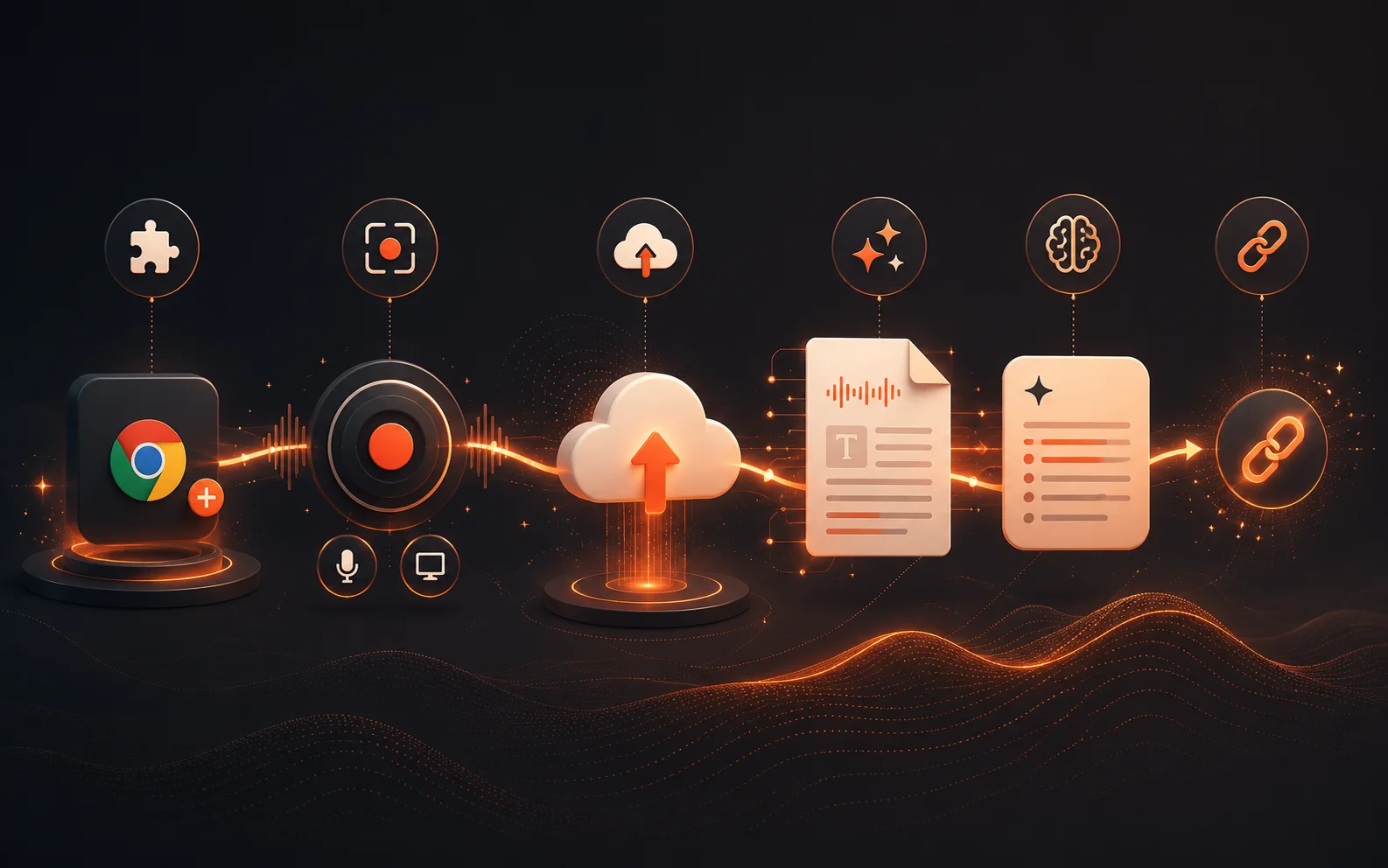
One click to install from the Chrome Web Store. No account required. Click the extension icon, choose to capture your full screen, a specific browser tab, or any open application window. Add your camera as a picture-in-picture overlay with background blur if you want. Select your mic, system audio, or both. Hit record — a toolbar appears at the bottom of the screen and you start talking.
In-Recording Tools Icon

In-Recording Tools

While recording, you have access to a draw tool to annotate anything on screen, and a cursor spotlight that makes your mouse impossible to miss. Both are built into the extension — no additional software. Useful for walkthroughs, demos, and anything where you need to direct the viewer's attention.
Instant Shareable Link Icon

Instant Shareable Link

Stop recording and the file uploads automatically. Within seconds, a private, unguessable link is ready to copy. The viewer gets a clean watch page — no install required, no account needed to watch.
AI Transcript Icon

AI Transcript

A full word-for-word transcript, synced to the video timeline to the second. Click any line in the transcript and the video jumps to that moment. Searchable, readable, and copyable without watching the video.
AI Summary Icon

AI Summary

A concise two-to-four sentence summary of what the recording covered, generated by Claude and displayed on the share page above the video. A viewer can read the gist of a fifteen-minute walkthrough in fifteen seconds before deciding whether to watch.
Chapter Markers

For longer recordings, the AI detects where topics shift and adds named chapter markers automatically. Viewers can jump directly to the section they need without scrubbing through the whole video.
Live Captions Icon

Live Captions

On-screen captions appear as the video plays. Viewers can toggle them on or off. Useful for watching without audio, for non-native speakers, and for anyone who processes written information faster than spoken.
Multi-Device Support Icon

Multi-Device Support

Zenrecap detects all connected cameras and microphones live, including an iPhone connected as a webcam over USB. Users can switch between input devices before or during a recording without breaking anything.
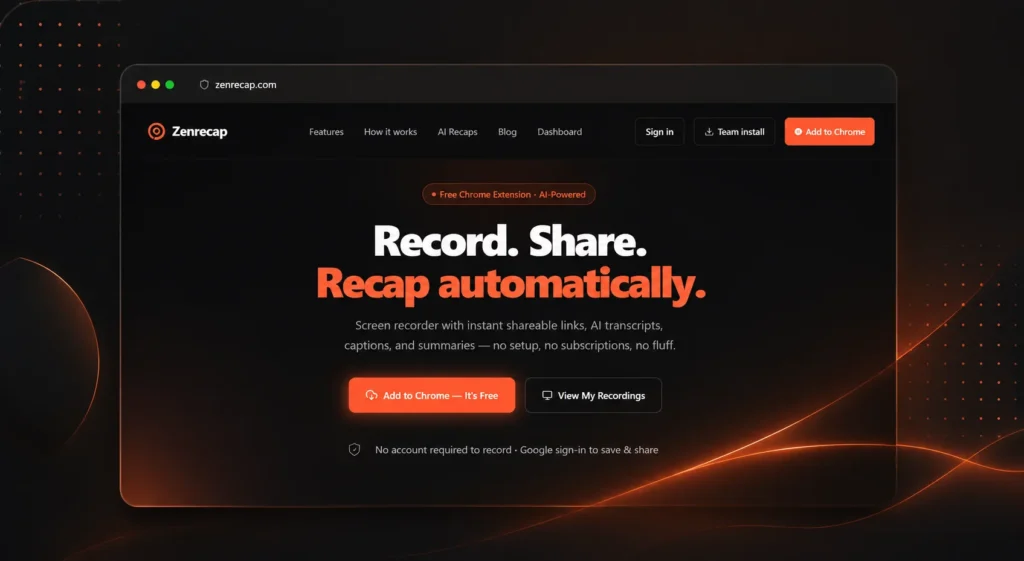
Live

Chrome extension on the Chrome Web Store — free to install

Zero

Account or credit card required to record and share

AI pipeline

Transcript + Claude summary + chapters + captions on every recording

30 seconds

From install to first shared recording

The Build Story: What We Actually Shipped

ZenRecap was built at Zenkoders as a product for teams who communicate asynchronously — starting with our own team. We were using existing screen recorders and running into the same friction everyone does: the upload step, the link-sharing step, the ‘I watched it but forgot the action items’ problem. We wanted something faster and smarter.


The Chrome extension audio capture was the most technically demanding part. Browser audio capture behaves differently depending on the OS, whether you are capturing a specific tab or the full screen, how system audio is routed on Mac versus Windows, and what happens when the user has multiple audio devices connected. We had to handle every edge case reliably and silently — the user should never notice that anything could go wrong.

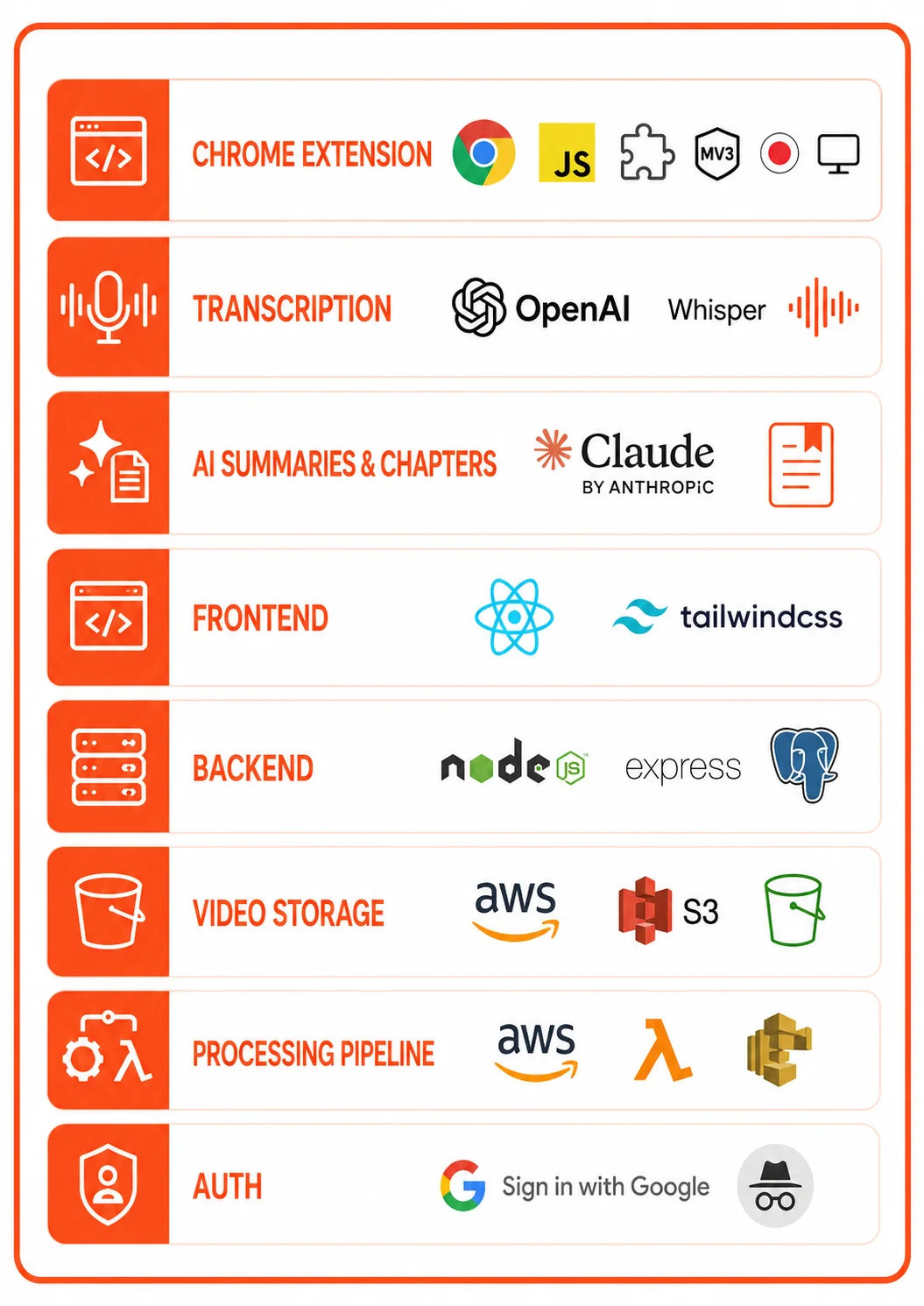
Tech Stack

ZenRecap Tech stack

Frequently Asked Questions

The core differences are AI output quality and zero-friction entry. ZenRecap generates a transcript, a Claude-powered summary, and chapter markers automatically — Loom’s AI features are gated behind paid plans. ZenRecap also requires no account to record or share, which removes the biggest barrier to a teammate’s first recording. The draw tool and cursor spotlight are also built in without any additional setup.

A Chrome extension at this scope — screen capture with multiple modes, camera overlay, audio mixing, AI transcript and summarization pipeline, shareable link generation, and a web dashboard — typically takes 3 to 5 months. The Chrome extension itself is a few weeks of work. The AI pipeline and the backend infrastructure for reliable video upload and processing take the bulk of the time.

Yes. ZenRecap is our in-house product, which means we have built every piece of this stack ourselves — from Chrome extension audio capture to the AI summarization pipeline. If you need a branded async video tool, an internal recording platform, or a Chrome extension for a specific workflow, book a call and we can talk through what it would involve.

ZenRecap is a Chrome extension, so it runs on any OS where Chrome runs — Windows, Mac, and Linux. There is no separate desktop app to install. The screen capture, camera overlay, and audio mixing all work through the browser’s native APIs.

Want to build a Chrome extension or AI-powered productivity tool?

Get In Touch With Us!