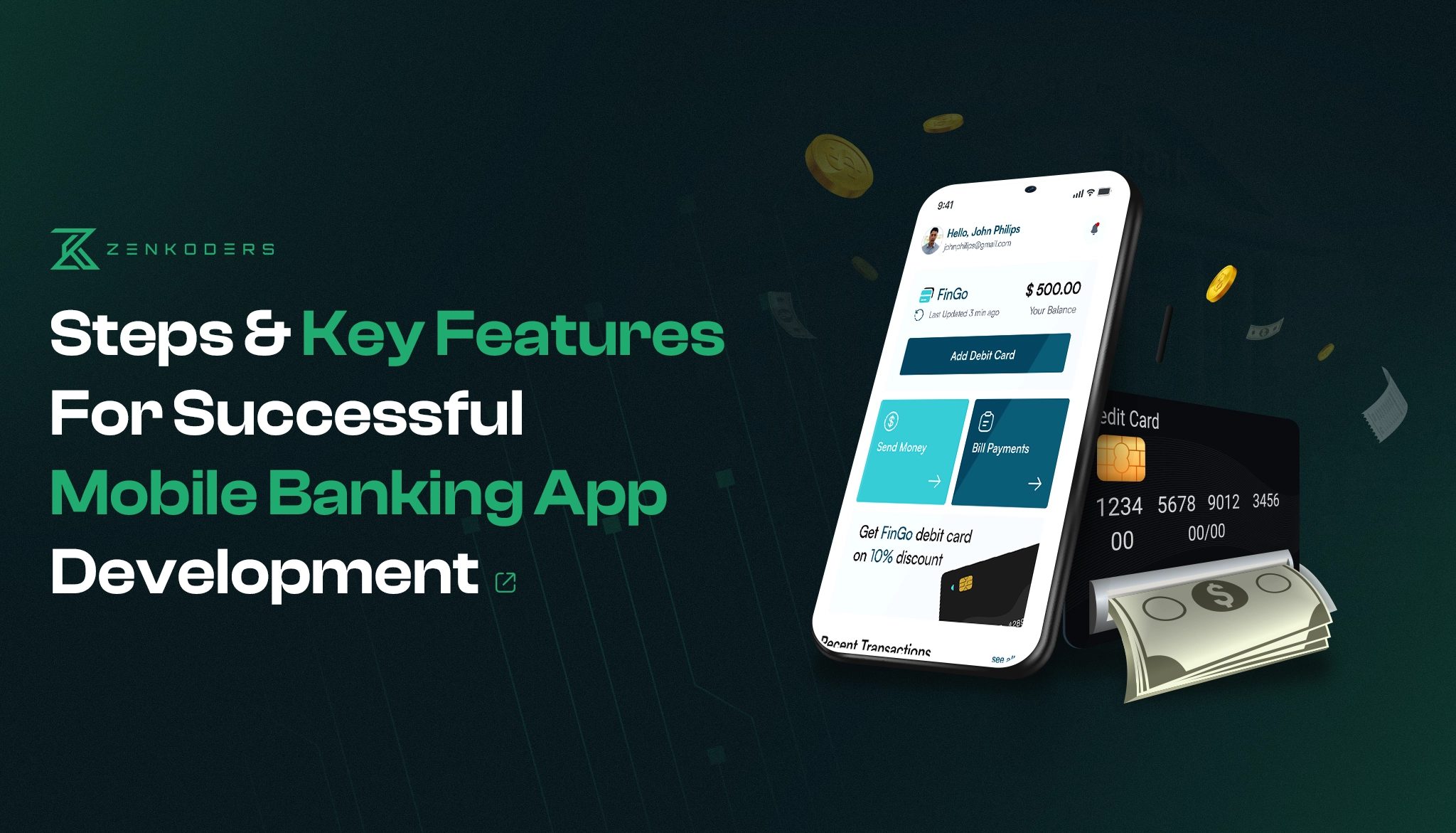

Mobile banking has changed what customers expect from financial institutions.
People no longer want to visit a branch or call customer support every time they need to transfer money, review a transaction, freeze a card, or update an account setting. They expect to complete these tasks quickly from a secure mobile application.
Building that experience, however, involves much more than creating an attractive dashboard.
A mobile banking app must protect sensitive information, process transactions reliably, connect with financial systems, meet relevant regulatory requirements, and remain simple enough for customers to use confidently.
This guide explains how to develop a mobile banking app, which features to include, how security and compliance affect development, what the project may cost, and how long it can take.
What Is a Mobile Banking App?
A mobile banking app is a software application that allows customers to access financial services through a smartphone or tablet.
Depending on the business model, users may be able to:
- View account balances
- Review transaction history
- Transfer funds
- Pay bills
- Manage debit or credit cards
- Deposit checks
- Receive payment and security alerts
- Contact customer support
- Update personal information
- Manage savings goals
- Connect external accounts
Traditional banks often use mobile apps as an extension of their existing services. Digital banks and fintech companies may use the mobile app as their primary customer experience.
In both cases, the application is only one part of the system. Behind the interface are APIs, authentication services, databases, banking infrastructure, payment providers, fraud-monitoring tools, notification services, and administrative systems.
That is why mobile banking app development requires careful planning before coding begins.
Planning a Mobile Banking Application?
Whether you are validating a fintech idea or modernizing an existing banking product, Zenkoders can help you define the MVP, design secure user flows, select the right architecture, and develop the application across iOS and Android.
Types of Mobile Banking Applications
Not every financial app serves the same purpose. Clearly defining the product category helps determine its features, architecture, compliance obligations, and development cost.
Retail banking apps
Retail banking apps help individual customers manage checking accounts, savings accounts, cards, transfers, bills, and other everyday financial activities.
Digital banking apps
Digital or neobank applications may deliver most or all banking services without relying on physical branches.
They often include digital onboarding, identity verification, virtual cards, budgeting tools, and real-time account management.
Business banking apps
Business banking apps may support:
- Multiple business accounts
- Employee permissions
- Approval workflows
- Invoices
- Payroll integrations
- Expense management
- Higher transaction limits
- Financial reporting
Payment and digital wallet apps
These applications focus on payments, stored balances, peer-to-peer transfers, merchant transactions, and card or bank-account connections.
Lending applications
Lending apps may allow users to apply for credit, upload documents, verify their identity, review offers, accept terms, and manage repayments.
Personal finance applications
Personal finance tools help users categorize spending, monitor subscriptions, create budgets, track financial goals, or view multiple financial accounts in one place.
The product type should be decided early because a personal budgeting app and a licensed digital bank have very different technical and regulatory requirements.
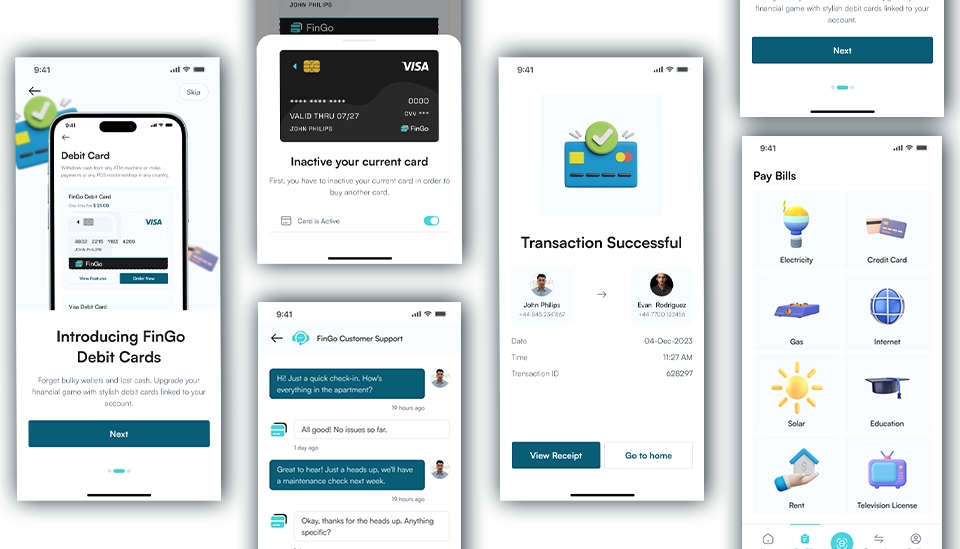
Must-Have Features of a Banking App
How to Develop a Mobile Banking App
A successful banking product usually follows a structured process that combines product strategy, design, engineering, security, and regulatory planning.
1. Define the Product and Target Market
Begin with the problem the application is supposed to solve.
Ask:
- Who will use the app?
- Which financial service will it provide?
- In which countries will it operate?
- Is the product connected to an existing bank?
- Will it process payments or card information?
- Which customer frustrations will it remove?
- How will the business generate revenue?
- Why would users choose it over an existing solution?
Avoid starting with a long feature wish list.
Start with one clear value proposition. For example:
The app helps small-business owners manage payments and approve employee expenses from one dashboard.
That is more useful than a broad goal such as:
We want to build the next major banking platform.
A defined audience and use case make it easier to prioritize features and control development costs.
2. Research the Market and Competing Products
Competitor research should look beyond visual design.
Evaluate:
- Onboarding steps
- Identity-verification process
- Authentication methods
- Navigation
- Transfer flow
- Card controls
- Customer-support options
- App-store reviews
- Common customer complaints
- Accessibility
- Failed transaction handling
- Security communication
Customer reviews are particularly valuable because they reveal issues that product pages do not mention.
Users may complain about delayed transfers, confusing verification, unexpected logouts, unclear error messages, or difficulty reaching a human representative. These observations can help your team avoid repeating the same mistakes.
3. Review Regulatory and Security Requirements
Security and compliance should be discussed before the interface and architecture are finalized.
The exact requirements depend on:
- The launch country
- The financial services being offered
- The type of organization operating the app
- The data being collected
- Whether cardholder data is processed
- Payment and banking partners
- Identity-verification requirements
- Data-storage locations
- Consumer-protection obligations
Relevant considerations may include:
- Data-privacy laws
- Know-your-customer requirements
- Anti-money-laundering controls
- Card-payment security
- Strong customer authentication
- Record retention
- Audit logging
- Consent management
- Accessibility
- Incident reporting
A software-development company can create technical controls that support compliance, but development work alone does not provide legal or regulatory certification.
Your legal and compliance professionals should confirm which requirements apply to your product and target market.
4. Define the Minimum Viable Product
A minimum viable product, or MVP, should contain enough functionality to solve the main user problem without trying to launch every possible feature.
A typical mobile banking MVP may include:
- User registration
- Identity verification
- Secure login
- Account dashboard
- Account balances
- Transaction history
- Fund transfers
- Payment notifications
- Customer support
- Basic profile management
- Administrative dashboard
Features such as advanced spending insights, subscription management, investment tools, multi-currency accounts, and AI assistance may be added after the core product has been validated.
For a deeper explanation of how to control scope, read our guide to the importance of an MVP in mobile app development.
5. Create User Flows, Wireframes, and a Prototype
Banking interfaces need to make complex and sensitive actions feel clear.
Designers should map the complete user journey, including:
- Creating an account
- Verifying identity
- Logging in
- Recovering account access
- Viewing balances
- Adding a recipient
- Transferring money
- Freezing a card
- Reporting a suspicious transaction
- Contacting support
- Handling a failed payment
The design should also cover difficult situations.
For example:
- What happens when identity verification fails?
- What does the user see when a transfer is delayed?
- How is an incorrect authentication code handled?
- What happens after several failed login attempts?
- How can the user safely regain account access?
An interactive prototype allows the team to test these journeys before development becomes expensive.
Zenkoders UI/UX design and development services can help turn banking requirements into clear user flows, wireframes, and testable prototypes.
6. Plan the Technical Architecture
A mobile banking app usually connects several systems.
A simplified architecture may include:
- iOS and Android applications
- API gateway
- Authentication and identity service
- Core banking system
- Transaction-processing service
- Payment gateway
- Card-management provider
- Fraud-monitoring system
- Notification service
- Customer-support platform
- Analytics and monitoring
- Administrative portal
- Audit-log storage
The architecture should be designed around reliability and controlled access.
Sensitive actions should never depend only on the mobile interface. Important validation and authorization must also take place on the server side.
The system should also be prepared for:
- Failed third-party services
- Duplicate requests
- Interrupted transactions
- Slow banking APIs
- Unexpected traffic
- Disaster recovery
- Suspicious activity
- Partial system outages
A beautiful interface cannot compensate for unreliable transaction handling.
7. Select the Technology Stack
The right technology stack depends on the product, existing systems, performance requirements, internal expertise, timeline, and budget.
Mobile application
Common options include:
- Swift for native iOS development
- Kotlin for native Android development
- Flutter for cross-platform development
- React Native for cross-platform development
Native development may offer deeper platform control and direct access to device-specific features.
Cross-platform frameworks can allow teams to share more code between iOS and Android, potentially improving delivery speed and maintenance efficiency.
React Native can be a practical choice for some financial applications, but the decision should follow a technical assessment rather than a general assumption. Learn more about Zenkoders React Native app development services.
Backend services
Possible backend technologies include:
- Java
- .NET
- Node.js
- Go
- Other mature server-side platforms
The backend must support secure authentication, transaction rules, integrations, logging, monitoring, and high availability.
Data storage
Financial systems commonly rely on relational databases where transactional consistency and auditability are important.
Additional storage technologies may be used for:
- Logs
- Analytics
- Documents
- Search
- Caching
- Event processing
Database selection should be based on the purpose of each data set rather than choosing one technology for every requirement.
Cloud and infrastructure
A banking solution may use:
- Amazon Web Services
- Microsoft Azure
- Google Cloud
- Private cloud infrastructure
- Hybrid infrastructure
The choice may depend on availability requirements, existing systems, data residency, security controls, vendor agreements, and applicable regulations.
8. Develop the MVP in Controlled Releases
Development should be divided into manageable stages.
A typical workflow includes:
- Define requirements for a feature.
- Confirm the user flow and acceptance criteria.
- Implement the backend logic.
- Build the mobile interface.
- Connect required APIs.
- Review the code.
- Run automated and manual tests.
- Deploy the feature to a staging environment.
- Collect feedback.
- Resolve issues before production release.
A controlled release process makes problems easier to identify than building the entire platform before testing it.
Zenkoders provides mobile app development services for companies building native and cross-platform mobile products.
9. Test the Application Thoroughly
Testing a banking application requires more than checking whether buttons work.
The test plan should include:
Functional testing
Confirm that registration, authentication, transfers, card controls, notifications, and other features work as expected.
Integration testing
Verify communication with:
- Banking systems
- Payment gateways
- Identity providers
- Card systems
- Notification platforms
- Analytics tools
- Customer-support software
Security testing
Test authentication, authorization, secure storage, encryption, session handling, API security, and attempts to manipulate the application.
The OWASP Mobile Application Security Verification Standard is a useful technical baseline for evaluating areas such as storage, cryptography, authentication, network communication, platform interaction, code quality, resilience, and privacy.
Performance testing
Assess how the system behaves during:
- High traffic
- Large transaction volumes
- Slow external APIs
- Repeated requests
- Partial failures
Accessibility testing
Make sure important banking tasks can be completed by people with different accessibility needs.
Device testing
Test different:
- Screen sizes
- Operating-system versions
- Device capabilities
- Network conditions
Failure testing
Banking applications must communicate failures clearly.
Test scenarios such as:
- A transfer timing out
- A duplicate transfer request
- A payment provider becoming unavailable
- A session expiring during a transaction
- A notification being delayed
- A user losing network connectivity
The application should never leave the user guessing whether money has moved.
10. Run a Controlled Launch
A banking app should not move directly from development to a full public launch.
Start with a controlled group of users.
During the pilot, monitor:
- Registration completion
- Verification failures
- Login problems
- Transfer success rates
- Application crashes
- Response times
- Customer-support requests
- Suspicious activity
- User feedback
The team should also have:
- An incident-response process
- Support coverage
- A rollback plan
- Monitoring dashboards
- Escalation procedures
- Transaction-reconciliation processes
The objective of the pilot is not merely to prove that the app opens. It is to confirm that the full service operates reliably under realistic conditions.
Essential Mobile Banking App Features
The right feature set depends on the product, but most mobile banking applications need a strong foundation.
Secure Registration and Onboarding
A clear onboarding process should guide users through:
- Account creation
- Contact verification
- Identity verification
- Consent
- Required documentation
- Security setup
- Application status
Avoid asking users for the same information multiple times.
At the same time, do not remove necessary verification steps simply to make onboarding appear shorter.
Secure Authentication
Authentication options may include:
- Password or PIN
- Multi-factor authentication
- One-time codes
- Biometric device authentication
- Passkeys where appropriate
- Device recognition
Authentication requirements should reflect the risk of the action.
Viewing a general help page does not require the same controls as adding a recipient or transferring a large amount of money.
Account Dashboard
The dashboard should present important information without overwhelming the user.
It may include:
- Available balance
- Current balance
- Recent transactions
- Linked accounts
- Card status
- Pending transactions
- Upcoming bills
- Important alerts
Sensitive information should be hidden or partially masked where appropriate.
Transaction History
Users should be able to:
- Search transactions
- Filter by date
- Filter by type
- View pending transactions
- Download statements
- Review merchant information
- Report an unfamiliar transaction
Descriptions should be understandable. Internal transaction codes are rarely useful to customers.
Fund Transfers
The transfer process may support:
- Transfers between personal accounts
- Transfers to another customer
- Domestic bank transfers
- International transfers
- Scheduled transfers
- Recurring transfers
Before confirmation, show:
- Recipient
- Amount
- Fees
- Exchange rate where applicable
- Estimated processing time
- Source account
After confirmation, provide a clear status and reference number.
Bill Payments
Bill-payment functionality may include:
- Saved billers
- Scheduled payments
- Recurring payments
- Payment reminders
- Payment history
- Confirmation receipts
Card Management
Useful card controls include:
- Freeze and unfreeze
- Report lost or stolen
- Set spending limits
- Control international transactions
- Control online transactions
- Review card activity
- Manage digital wallet connections
- Request a replacement
Real-Time Notifications
Notifications may cover:
- Successful payments
- Failed transactions
- Cash withdrawals
- New device logins
- Changes to account information
- Card activity
- Suspicious behavior
- Low balances
Push notifications should not expose full account numbers, authentication codes, detailed balances, or other sensitive information on a locked screen.
Customer Support
Support options may include:
- Secure messaging
- Live chat
- Help center
- Phone support
- Dispute submission
- Card emergency support
- Human escalation
Automation can help with simple questions, but customers should be able to reach a person for sensitive or unresolved issues.
Companies exploring automated support can review our chatbot development services.
Administrative Dashboard
The customer-facing app is only part of the product.
Internal teams may need a secure dashboard to:
- Review accounts
- Manage verification cases
- Monitor alerts
- Review disputes
- Manage support cases
- View audit records
- Control employee permissions
- Send notifications
- Review operational reports
Access should be based on employee roles and responsibilities.
Advanced Mobile Banking Features
Advanced features should be introduced when they solve a clear user problem.
Spending Insights
Transactions can be grouped into categories to help users understand where their money is going.
Users should be able to correct categories because automated classification is not always accurate.
Savings Goals
Customers can create a target, set a deadline, schedule contributions, and monitor progress.
Subscription Monitoring
The application can identify recurring charges and help users review subscriptions or upcoming payments.
Multi-Currency Accounts
Where the business model and regulations permit, users may hold, receive, convert, and transfer funds in multiple currencies.
The app should clearly display rates, fees, and processing conditions.
Open-Banking Connections
With customer authorization, the app may connect to external financial accounts and provide a consolidated view.
These connections need transparent consent and clear controls for revoking access.
Fraud Alerts
The system may identify unusual activity and ask the customer to confirm or report it.
Fraud detection should combine technical signals, transaction patterns, account history, and risk rules. It should not rely on a single indicator.
AI-Powered Assistance
AI assistants can help users:
- Find information
- Understand product terms
- Navigate the app
- Locate a transaction
- Prepare a support request
AI should not make unauthorized financial decisions or present uncertain information as confirmed advice.
High-risk actions should continue to use verified business rules and appropriate human oversight.
Mobile Banking App Security Requirements
Security should influence every stage of development, from architecture to post-launch monitoring.
Important controls may include:
- Encryption in transit
- Encryption at rest
- Secure credential and token storage
- Multi-factor authentication
- Role-based access control
- Strong session management
- Short-lived access tokens
- Automatic session expiration
- Device recognition
- Rate limiting
- API authorization
- Transaction confirmation
- Audit logs
- Fraud monitoring
- Rooted or jailbroken device detection
- Secure notification design
- Vulnerability scanning
- Dependency monitoring
- Penetration testing
- Backup and disaster recovery
- Incident-response procedures
No single security feature makes a banking app secure.
Biometric login, for example, may improve convenience and authentication, but it does not replace secure APIs, server-side authorization, monitoring, encryption, and careful session management.
Security testing should continue after launch because software dependencies, operating systems, attack methods, and business requirements change over time.
Compliance Considerations
There is no universal compliance checklist for every mobile banking product.
Requirements vary according to location, services, data, and operating model.
A project may need to assess:
- Data privacy
- Customer consent
- Identity proofing
- Customer verification
- Anti-money-laundering controls
- Cardholder-data protection
- Strong customer authentication
- Transaction monitoring
- Audit trails
- Record retention
- Accessibility
- Consumer disclosures
- Complaint management
- Third-party risk
PCI DSS may apply when cardholder data is stored, processed, or transmitted, but it does not cover every legal or operational requirement of a banking product.
Similarly, a privacy law does not replace financial-services regulation.
The product team should work with qualified legal, security, and compliance professionals in every target jurisdiction.
How Much Does It Cost to Build a Mobile Banking App?
The cost depends on product complexity, platforms, integrations, security requirements, and launch market.
The following figures are broad planning estimates rather than fixed quotations:
Project type | Typical scope | Approximate planning range |
Product prototype | Research, user flows, wireframes, interactive design | $10,000–$25,000 |
Focused banking MVP | Authentication, dashboard, transaction history, transfers, notifications, administration | $40,000–$80,000 |
Mid-complexity fintech product | Payments, card controls, identity verification, analytics, multiple integrations | $80,000–$180,000 |
Enterprise banking platform | Complex legacy integrations, advanced fraud controls, high availability, extensive testing | $180,000+ |
These ranges should be adjusted after a detailed discovery process.
The main cost factors include:
- Native or cross-platform development
- Number of supported platforms
- Number of user roles
- Backend complexity
- Core banking integration
- Payment providers
- Card providers
- Identity-verification services
- Fraud-monitoring requirements
- Administrative tools
- Security testing
- Infrastructure
- Compliance requirements
- Maintenance and support
A smaller MVP with one clear transaction flow will cost less than a multi-country digital banking platform.
How Long Does Mobile Banking App Development Take?
A focused MVP may take several months, while a complex financial platform may require a year or longer.
A sample timeline may look like this:
Phase | Indicative duration |
Discovery and planning | 2–5 weeks |
UX design and prototype | 4–8 weeks |
Architecture planning | 2–5 weeks |
MVP development | 4–7 months |
Testing and launch preparation | 4–10 weeks |
Pilot and controlled release | 3–8 weeks |
Several activities can overlap. Security reviews and testing, for example, should run throughout development rather than starting only after coding is complete.
Factors that affect the timeline include:
- Number of integrations
- Third-party approval times
- Regulatory review
- Availability of documentation
- Existing backend systems
- Migration requirements
- Scope changes
- Security testing
- Product-team response time
Common Mobile Banking Development Challenges
Unclear Transaction Rules
The team must define what happens during successful, failed, delayed, reversed, and duplicated transactions.
Unclear rules create technical problems and customer confusion.
Legacy System Integration
Older banking systems may have limited APIs, incomplete documentation, or strict release processes.
A middleware layer may be needed to connect modern applications with legacy infrastructure.
Third-Party Dependencies
Identity verification, card processing, notifications, and payment services may be provided by external vendors.
The app needs fallback behavior when one of those providers becomes slow or unavailable.
Scope Expansion
Financial products often grow quickly once stakeholders see the first designs.
An MVP roadmap helps separate launch requirements from later improvements.
Regulatory Changes
Requirements may change during development or after launch.
The architecture and operating process should allow the business to update controls, disclosures, and workflows.
Balancing Security and Usability
Too little security increases risk. Too much friction may prevent legitimate customers from completing basic tasks.
The solution is not to choose one over the other. It is to design risk-based controls that match the sensitivity of each action.
Zenkoder specializes in banking app development!
How to Choose a Mobile Banking App Development Company
A development partner should understand more than mobile interfaces.
Ask potential teams about:
- Secure software-development practices
- API integrations
- Financial transaction handling
- Role-based access
- Error and failure scenarios
- Quality assurance
- Infrastructure
- Application monitoring
- Maintenance
- Documentation
- Previous mobile projects
Request examples of relevant work and ask the team to explain the decisions behind it.
You can review Zenkoders software development portfolio to see examples of mobile and web products delivered across different industries.
A good partner should also be willing to challenge unnecessary features and identify project risks before development begins.
Final Thoughts
Developing a mobile banking app requires a careful balance between convenience, security, compliance, and operational reliability.
The visible interface is important, but it is only one layer of the product.
A successful application also needs:
- Clearly defined transaction rules
- Secure architecture
- Reliable integrations
- Effective monitoring
- Thorough testing
- Human support
- Ongoing maintenance
Start with one clear customer problem and a realistic MVP. Validate the user journey, confirm regulatory requirements, and plan the technical architecture before committing to a large feature set.
FAQs:
How much does it cost to develop a mobile banking app?
A focused banking MVP may fall in a broad range of approximately $40,000 to $80,000, while a more advanced product can exceed $180,000.
The final cost depends on features, integrations, supported platforms, security, compliance, testing, and infrastructure.
How long does it take to build a banking app?
A focused MVP may take approximately four to seven months of development, plus planning, design, testing, and launch preparation.
Complex platforms with legacy integrations or regulatory dependencies may take considerably longer.
Which features should a banking MVP include?
A typical MVP may include registration, identity verification, secure authentication, account balances, transaction history, fund transfers, notifications, customer support, and an administrative dashboard.
How long does it take to build a mobile banking app?
A typical MVP may include registration, identity verification, secure authentication, account balances, transaction history, fund transfers, notifications, customer support, and an administrative dashboard.
Is React Native suitable for a mobile banking app?
React Native can be suitable for some banking and fintech applications.
The decision depends on required native functionality, performance, security, team expertise, maintenance strategy, and integration requirements.
A technical assessment should be completed before selecting the framework.
How can a mobile banking app protect customer data?
Important measures include encryption, secure token storage, multi-factor authentication, strong session management, access controls, API security, audit logs, monitoring, vulnerability management, and security testing.
Does a mobile banking app need regulatory approval?
It depends on the services offered, organization type, launch country, data being processed, and financial partners involved.
Legal and compliance professionals should confirm the exact requirements.
Can an existing banking system be connected to a new mobile app?
Yes. The app may connect through existing APIs, middleware, integration services, or a newly developed API layer.
The complexity depends on the capabilities, security model, and documentation of the existing system.
Can AI be used in a mobile banking app?
Yes. AI may support customer assistance, document processing, fraud detection, transaction categorization, and internal operations.
It should be implemented with appropriate controls, testing, data protection, and human oversight