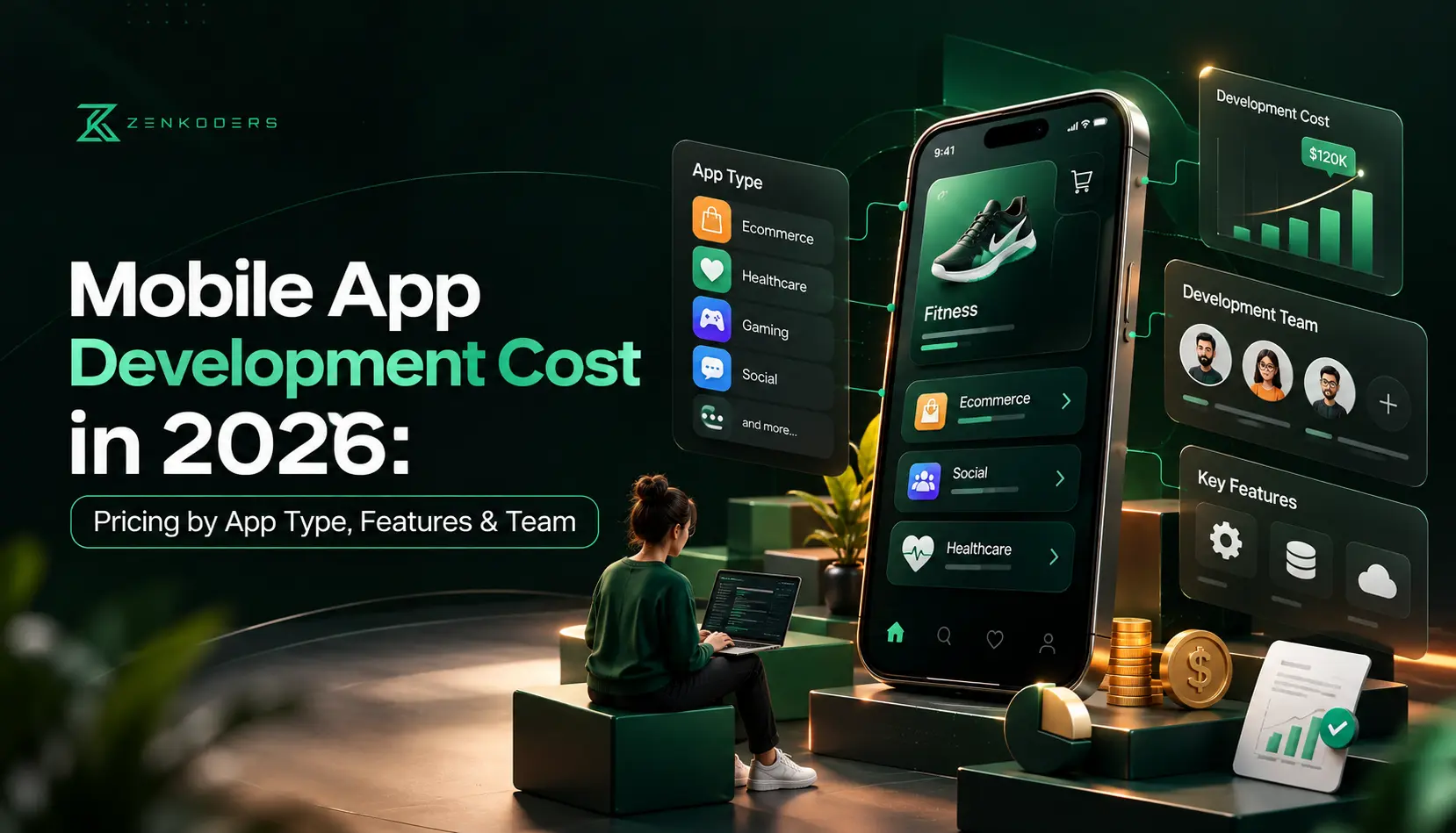

Quick Answer: In 2026, a simple mobile app typically costs $15,000–$40,000, a mid-complexity app $40,000–$100,000, and a complex or regulated app $100,000–$250,000+. The final price depends mainly on the type of app, the features inside it, the platforms you build for and the team you hire. Expect to spend roughly 15–20% of the build cost each year on upkeep after launch.
Ask five agencies what an app costs and you’ll get five different answers. Nobody’s necessarily lying. “An app” can mean a simple booking tool, or a three-sided marketplace with live tracking, payments and an admin panel. Those aren’t the same purchase, even though they share a name.
So instead of throwing one number at you, this guide explains what actually moves the price, so you can judge a quote for yourself. We’ll cover app types, features, platforms, the team behind the build, and the costs people forget about until the first invoice arrives.
How Much Does It Cost to Build a Mobile App in 2026?
Most projects land in one of three tiers. Think of these as planning ranges, not quotes.
Complexity | What You Get | Typical Cost (USD) | Typical Timeline |
|---|---|---|---|
Simple | A few screens, basic login, light backend, one or two integrations | $15,000 – $40,000 | 2–4 months |
Mid-complexity | Custom design, payments, push notifications, admin dashboard, third-party APIs | $40,000 – $100,000 | 4–6 months |
Complex | Real-time features, multiple user roles, heavy integrations, security or compliance needs | $100,000 – $250,000+ | 6–12 months |
Time and money are closely linked here. Every extra month means paying designers, developers, testers and a project manager for another month. That’s why a clear scope at the start saves more than any discount ever will.
If you’re still at the idea stage, our guide on how to create an app covers the steps that come before budgeting.
Every app is different, and so is the price. Tell us what you’re building and we’ll send a scoped estimate with timeline and running costs.
Mobile App Development Cost by App Type
The category your app belongs to is the quickest way to get a ballpark, because similar apps tend to need similar building blocks.
App Type | Examples | Estimated Cost (USD) |
|---|---|---|
Utility / simple tool | Calculator, tracker, checklist | $15,000 – $35,000 |
Ecommerce / marketplace | Online store, multi-vendor marketplace | $50,000 – $150,000 |
On-demand / delivery | Food delivery, ride booking, home services | $60,000 – $140,000 |
Social / video chat | Community apps, live video platforms | $70,000 – $200,000 |
Healthcare | Telehealth, patient portals, scheduling | $60,000 – $180,000+ |
Fintech | Digital wallets, lending, budgeting apps | $80,000 – $250,000+ |
Enterprise / internal | Field service, HR, logistics tools | $50,000 – $150,000 |
A few of these deserve a closer look.
On-demand apps surprise people the most. A food delivery “app” is really three apps (customer, rider and restaurant) plus an admin dashboard to run it all. Our food delivery app development page shows what that looks like, and our breakdown of building a video chat app is a good real-time example.
Healthcare and fintech cost more mainly because of rules, not code. Compliance, audit trails, encryption and security testing all take real hours. For the details, see our healthcare app development guide and fintech app development guide.
What Actually Drives the Cost?
Once you know your app type, these are the levers that move the number up or down.
1. Features and complexity
You’re not buying “an app.” You’re buying a bundle of features, and some are far heavier than others. Login, profiles and basic listings are routine. Real-time chat, video calling, live maps, in-app payments with subscriptions, and AI assistants take much more design, development and testing.
The practical takeaway: the quickest way to lower a budget is to trim version one, not to hunt for a cheaper team. Launch with the few things users truly need, then add the rest once you’ve seen real behavior. That’s the thinking behind an MVP, and our guide to AI-powered custom MVP development shows how to scope one properly.
2. Design quality
A clean, tested user flow costs less than a flashy, heavily animated one, and it usually converts better. Good UI/UX design is one of the cheapest ways to protect the rest of your budget, because fixing a flawed flow after it’s coded costs far more than fixing it on a prototype.
3. Backend and integrations
The part users never see often takes the most work. Databases, APIs, admin panels, and connections to your CRM, ERP or payment systems all add effort. A well-documented system connects quickly. An older, messy one can double the timeline without anyone doing anything wrong.
4. Security and compliance
Handling health data, payments or personal information means extra safeguards. It’s not optional, and it’s far cheaper to build in from the start than to bolt on later.
5. Platform choice
This one gets its own section below, because it’s usually the biggest single decision.
6. Your team
Who builds the app affects both price and outcome. We cover that in its own section too.
Which Platform Approach Fits Your Budget?
“Should we build for iPhone, Android, or both?” is one of the first questions founders ask, and it directly shapes the budget.
Approach | Relative Cost | Best For |
|---|---|---|
Single native app (iOS or Android) | Baseline | Testing one audience, or very platform-specific features |
Two separate native apps | Roughly 1.6–1.9x baseline | Apps needing top performance on both platforms |
Cross-platform (React Native, Flutter) | Often 30–40% less than two native apps | Most business apps, MVPs and startups |
Progressive web app (PWA) | Usually lowest | Simple tools where an app-store presence isn’t essential |
Cross-platform has become the default for many businesses, and for good reason. One codebase serves both iPhone and Android, which trims build time and future maintenance. If you want the numbers for that route, our React Native app development cost guide goes through them, and you can see how we work on our React Native and cross-platform app development pages. If you already know you need a platform-specific build, we also offer iOS and Android development.
Cross-platform: pros and cons
Pros | Cons |
|---|---|
One codebase for both platforms | Very hardware-heavy features may need native code |
Lower build and maintenance effort | Occasional delay when new OS features launch |
Faster time to market | App size can be slightly larger |
Consistent look and behavior | Some niche features need extra work |
For a typical product like bookings, commerce, dashboards or content, the trade-offs are small. For advanced AR or graphics-heavy games, native often earns its higher price.
Who Builds It: Freelancer, Agency, In-House or Staff Augmentation?
Two teams can quote the same scope and land tens of thousands of dollars apart. Part of that is location, since rates differ widely between regions. Part of it is the hiring model. A low rate alone doesn’t guarantee a good result, because communication, process, code quality and post-launch support matter just as much as the number on the quote.
Model | Best For | Watch Out For |
|---|---|---|
Freelancer | Small, well-defined tasks | Single point of failure, limited skill range |
In-house team | Long-term core products | Slow hiring and ongoing overhead |
Agency | Full builds with design, QA and project management included | Picking a partner without relevant experience |
Staff augmentation | Adding specialists to an existing team | Needs strong internal project ownership |
Not sure which fits? Our article on what it costs to hire a mobile app developer compares the options in detail, and our guide to hiring remote developers through staff augmentation explains that route step by step.
What Happens During Development (And Why It Matters for Budget)
Knowing the process helps you spot a quote that looks too good to be true. If a proposal skips a stage, the savings are usually an illusion.
- Discovery and planning: Requirements, research and a technical plan. This is where most budget problems get solved cheaply.
- UI/UX design: Wireframes, prototypes and visual design.
- Development: Frontend, backend and integrations. This is the biggest chunk of effort.
- Testing and QA: Bug fixing, device testing and security checks.
- Deployment and launch: Server setup and store submission. Our walkthrough on uploading an app to the iOS App Store covers that last step.
- Post-launch support: Monitoring, fixes and updates.
A structured process keeps surprises, and invoices, in check. Our guide to the software development life cycle explains each phase in more depth.
The Costs People Forget After Launch
Launching isn’t the finish line. It’s when running costs begin. Here’s what to plan for:
- Maintenance and updates: Commonly 15–20% of the original build cost per year, covering bug fixes, OS updates and security patches. Our iOS app maintenance cost guide shows how that breaks down.
- Hosting and cloud services: These grow with traffic and data.
- Third-party services: Maps, SMS, payments and analytics tools usually bill by usage.
- App store fees: Apple charges through the Apple Developer Program and Google through the Google Play Console. Check both for current pricing, since fees change.
- Marketing: Rarely included in the build quote, and often the biggest line item in year one.
- Support: Someone has to answer users and triage bugs.
A useful rule of thumb: budget your first year at roughly 1.3 to 1.5 times the build cost once these are included.
Thinking About Adding AI?
More apps now ship with an AI layer, such as a smart assistant, recommendations or automated support. It adds integration work, data preparation and ongoing model usage fees, so it should be scoped separately. A simple chatbot is a modest addition. A full autonomous agent is a different scale of project. If that’s where you’re headed, read our guides on AI agent development cost and building an AI app like ChatGPT first.
Pros and Cons of Building a Custom Mobile App
A custom app isn’t automatically the right move. Here’s the honest picture.
Pros | Cons |
|---|---|
Full control over experience, data and roadmap | Real upfront investment |
Direct channel to users through push notifications | Ongoing maintenance isn’t optional |
Deep integration with your own systems | Takes months, not days, to launch |
A brand asset you fully own | App store review rules can delay releases |
Scales as your business grows | Getting downloads takes marketing effort |
If you only want to test an idea cheaply, a no-code tool, a PWA or a lean MVP might serve you better than a full custom build. We’d rather tell you that than sell you something you don’t need.
8 Practical Ways to Keep Your App Budget in Check
- Start with an MVP. Build the core, then learn from real users.
- Choose cross-platform when it fits. It’s often the biggest single saving.
- Prioritize features ruthlessly. Sort them into must-have, nice-to-have and later.
- Invest in discovery. A short planning phase prevents expensive rework.
- Use proven third-party services. Don’t build login, payments or chat from scratch if a reliable service exists.
- Finalize the design before coding. Changes after development begins cost the most.
- Agree on a clear scope with milestones. It keeps scope creep visible.
- Plan maintenance from day one. Unplanned fixes always cost more than scheduled ones.
How to Get an Accurate Estimate
A good estimate needs good inputs. Before you contact any development company, pull together:
- A one-paragraph description of the problem your app solves
- Your target users and the main actions they’ll take
- A prioritized feature list
- The platforms you need (iOS, Android or both)
- Any systems it must connect to, such as a CRM, payment gateway or ERP
- Compliance needs, such as HIPAA, GDPR or PCI
- Your launch timeline and rough budget
The more specific you are, the tighter the quote. Vague briefs lead to wide ranges, and wide ranges lead to arguments halfway through a project.
How Zenkoders Approaches App Budgets
We start with a short discovery phase, because that’s where most budget problems get solved. From there we help you decide what belongs in version one, which platform approach makes sense, and what the realistic running costs will be, so there are no nasty surprises after launch.
Our team has built products across healthcare, logistics, fintech, AI and SaaS, and works across mobile, web and AI projects. If you’d like a scoped estimate for your idea, talk to our team. And if a simpler solution fits your goals better than a full build, we’ll say so.
Conclusion
There’s no single price tag for a mobile app, and anyone offering one without asking questions is guessing. What you can do is understand the levers: app type, features, platform, team and the running costs after launch. Get those right and the budget becomes far more predictable.
Start small, protect your design and discovery phases, plan for the year after launch, and choose a partner who’s honest about trade-offs. That beats a cheap quote every time.
Ready to put a real number on your idea? Contact the Zenkoders team for a scoped estimate.
FAQs:
How much does it cost to build a mobile app in 2026?
Most apps cost between $15,000 and $250,000+. Simple apps start around $15,000–$40,000, mid-complexity apps run $40,000–$100,000, and complex or regulated apps can exceed $100,000. Features, platforms and team choice drive most of the difference.
How long does it take to develop a mobile app?
A simple app usually takes 2–4 months, a mid-complexity app 4–6 months, and a complex app 6–12 months. Timelines stretch when requirements change mid-project or when integrations are poorly documented.
Why do app development quotes vary so much?
“App” covers a huge range of scope. Quotes also differ by team location, hiring model and what’s included, such as design, testing, project management and support. Always compare what’s inside each quote, not just the total.
Is it cheaper to build an iOS or an Android app?
The build cost is usually similar. Android can need extra testing because of the wide range of devices, while iOS has stricter review standards. Building both natively costs far more than building one, which is why many businesses choose cross-platform.
How much does it cost to maintain an app each year?
Plan for roughly 15–20% of the original build cost per year, plus hosting, third-party service fees and any marketing or support costs.
Can I build an app for under $10,000?
Sometimes, with a very narrow scope, a no-code platform or a template-based approach. Custom apps with real backends, integrations and proper testing rarely fit under that figure without trade-offs in quality or security.
What's the cheapest way to test an app idea?
Build a lean MVP with only the core feature on a cross-platform framework, and put it in front of real users. You’ll learn what matters before spending on the full product.